
Access Policy
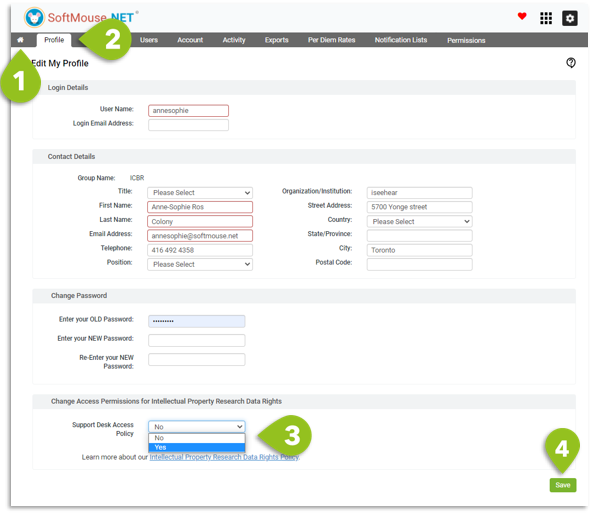
Here are the steps to grant temporary access to the Support Team for further assistance with your account:
- Go to your SoftMouse.NET homepage
- Click on My Profile menu
- Scroll down to the Access Permissions Policy section and select Yes in the drop down list
- Click Save
If you have any further questions, please contact us with your inquiry.