
How to Add Animals to Study
There are a few ways to add animals to your Study, depending on your preference:
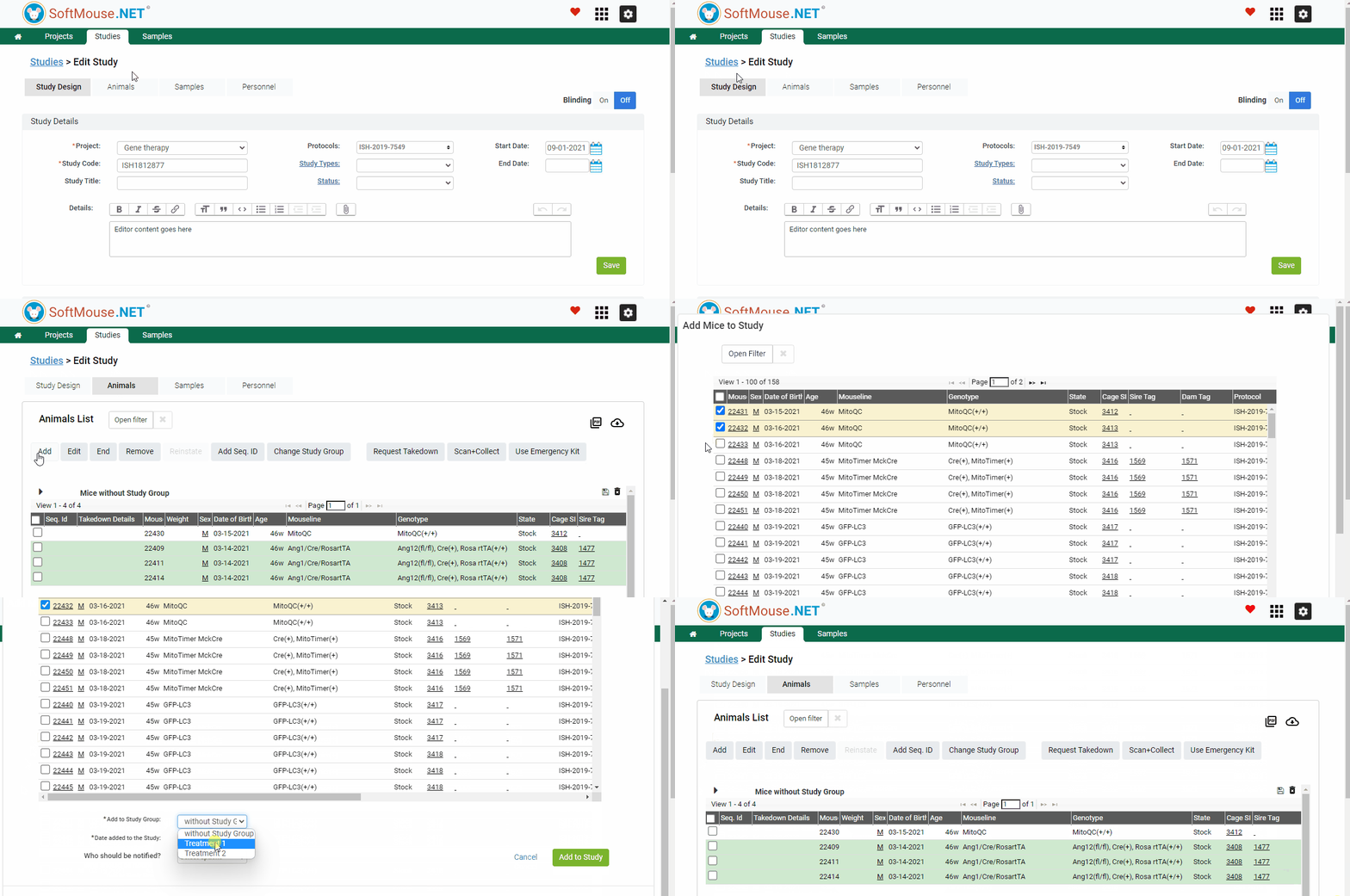
From the Edit Study page:
- Go to the Edit Study page
- Click Animals tab
- Click Add button
- Select animals --- use the filter if you need
- Select Study Group that these animals will be entered into
- Click Add
Done! Now the selected mice will be added to the Study.
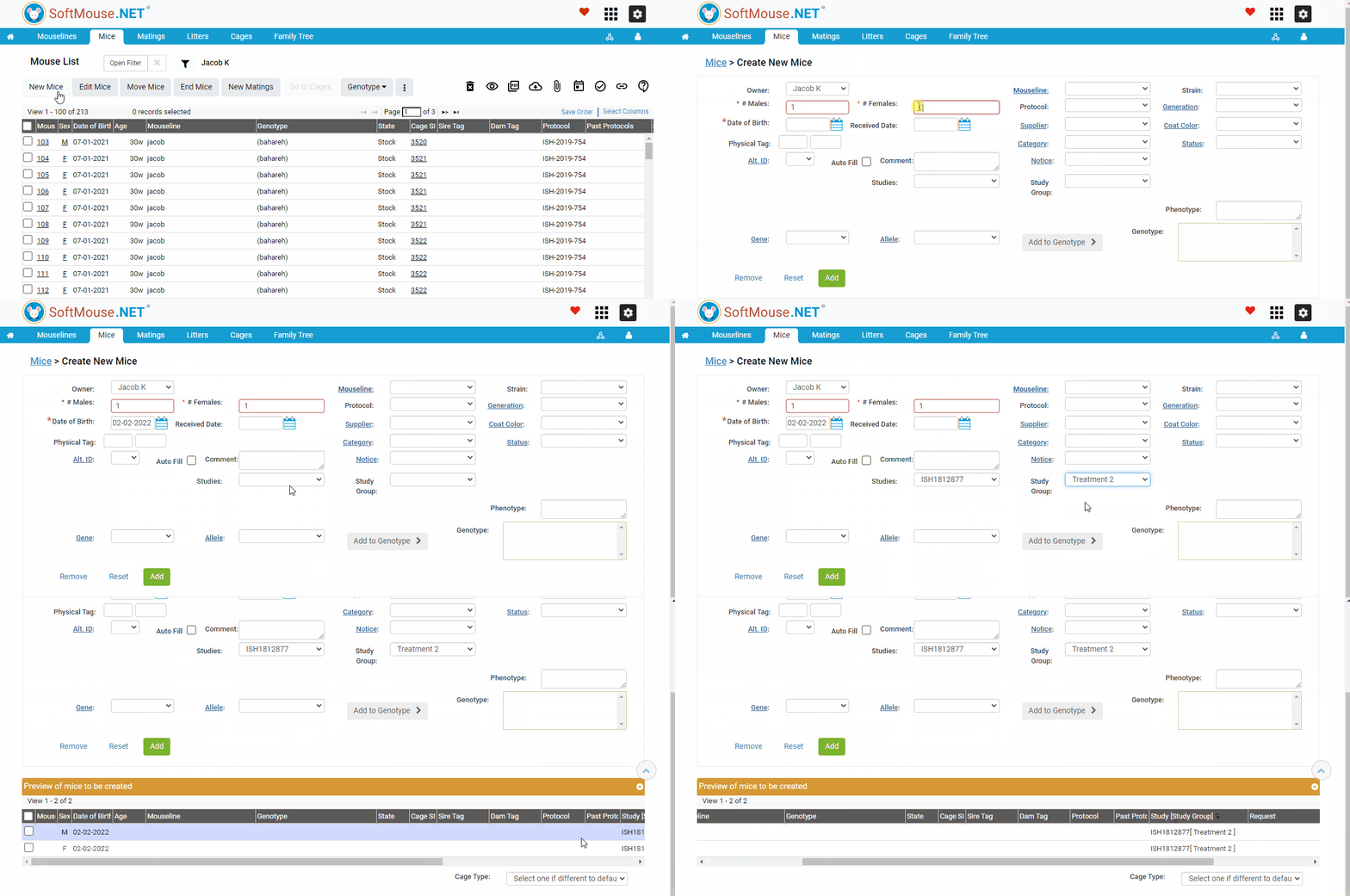
From the New Mouse page:
If you are adding mice to an existing Study directly on arrival at your facility, you can:
- Go to the Mouse List
- Click New Mice
- Fill in the New Mouse form
- Select the Study name and Study Group from the drop downs
- Proceed to create the mice as usual
Done! Now the new mice will be directly added to the Study on arrival.
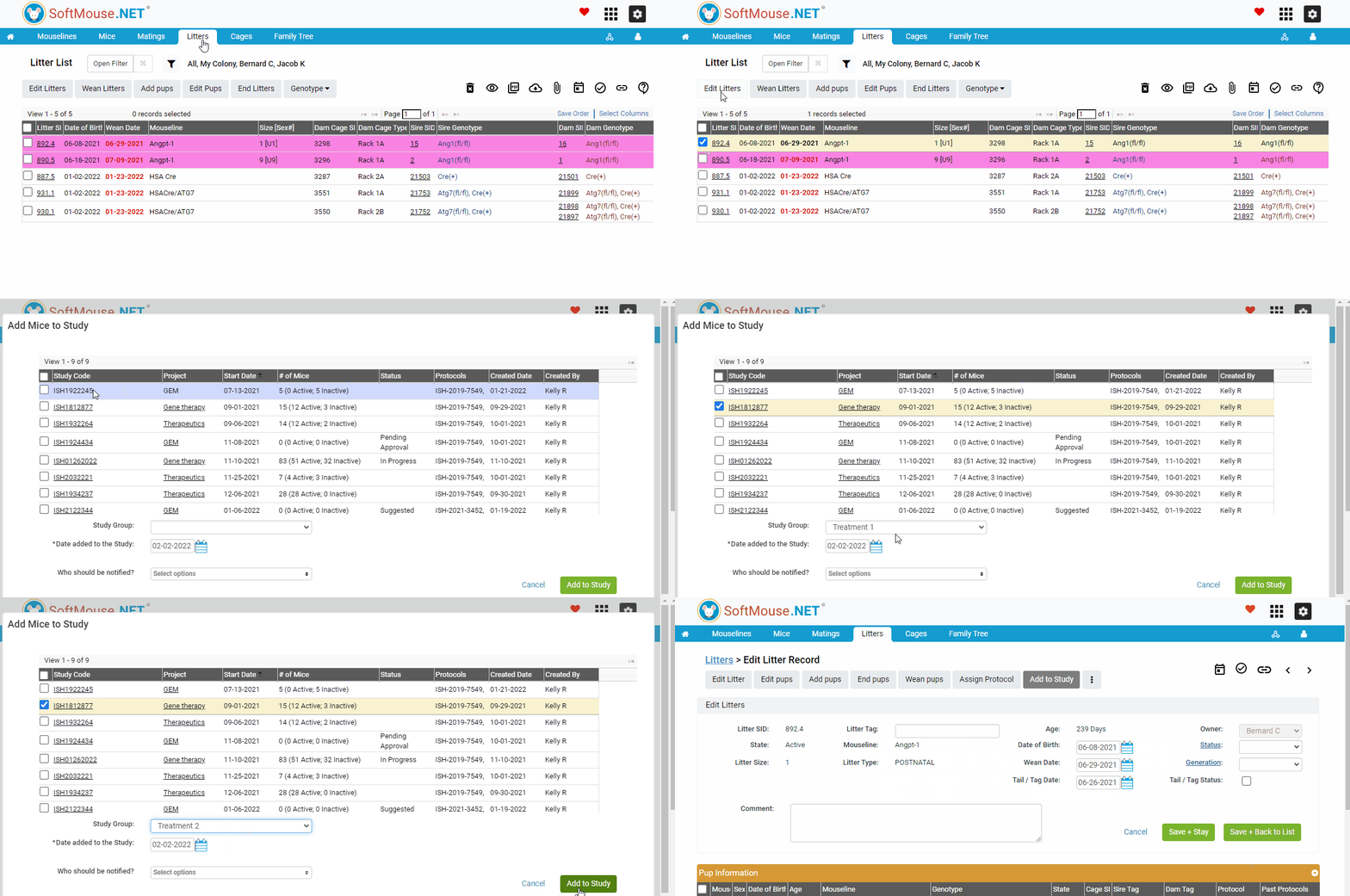
From the Edit Litter page:
If you are adding mice to an existing Study pre-weaning, you can:
- Go to the Edit Litter page
- Select the animals you want to add to the study from the Pup Information table
- Click on Add to Study
- Click Add to Study
- Select the Study name check box and Study Group from the drop down
- Click Add to Study
Done! Now the pups will be added to the Study pre-weaning
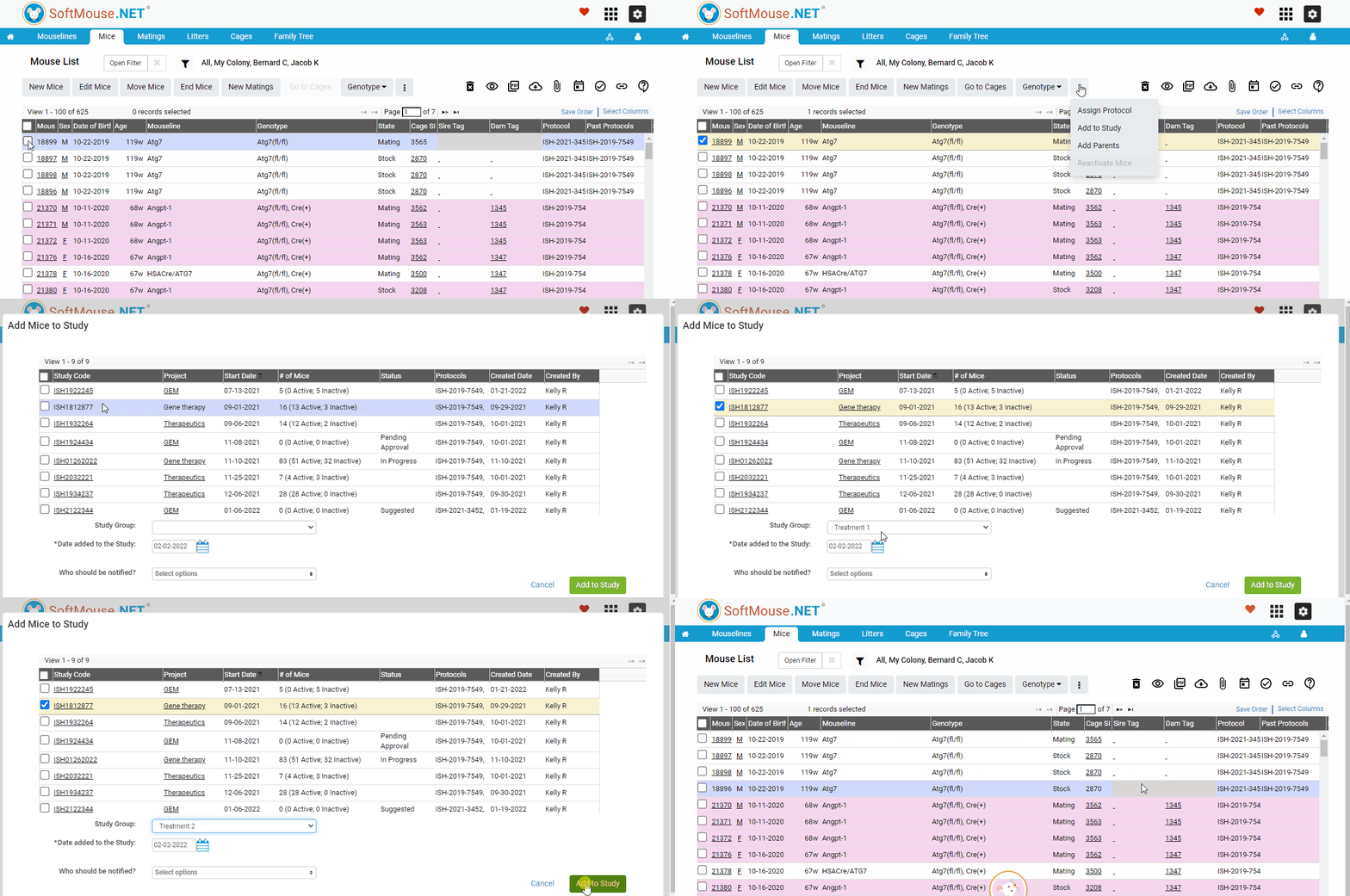
From the Mouse List, Litter List or Cage List page:
As a shortcut when looking at your Mouse, Litter or Cage Lists, you can:
- Select the records to be added to the Study
- Click the 3 vertical dots to open the submenu
- Click Add to Study
- Select the Study name check box and Study Group from the drop down
- Click Add to Study
Done! Now the selected records will be added to the Study
If you have any further questions, please contact us with your inquiry.