
How to Add Samples to Protocols
In order to ensure compliance with approved procedures and activities on animal user protocols, in order to mark samples to be collected within studies, you must first associate the samples allowed to be collected with the Protocol.
Here are the steps:
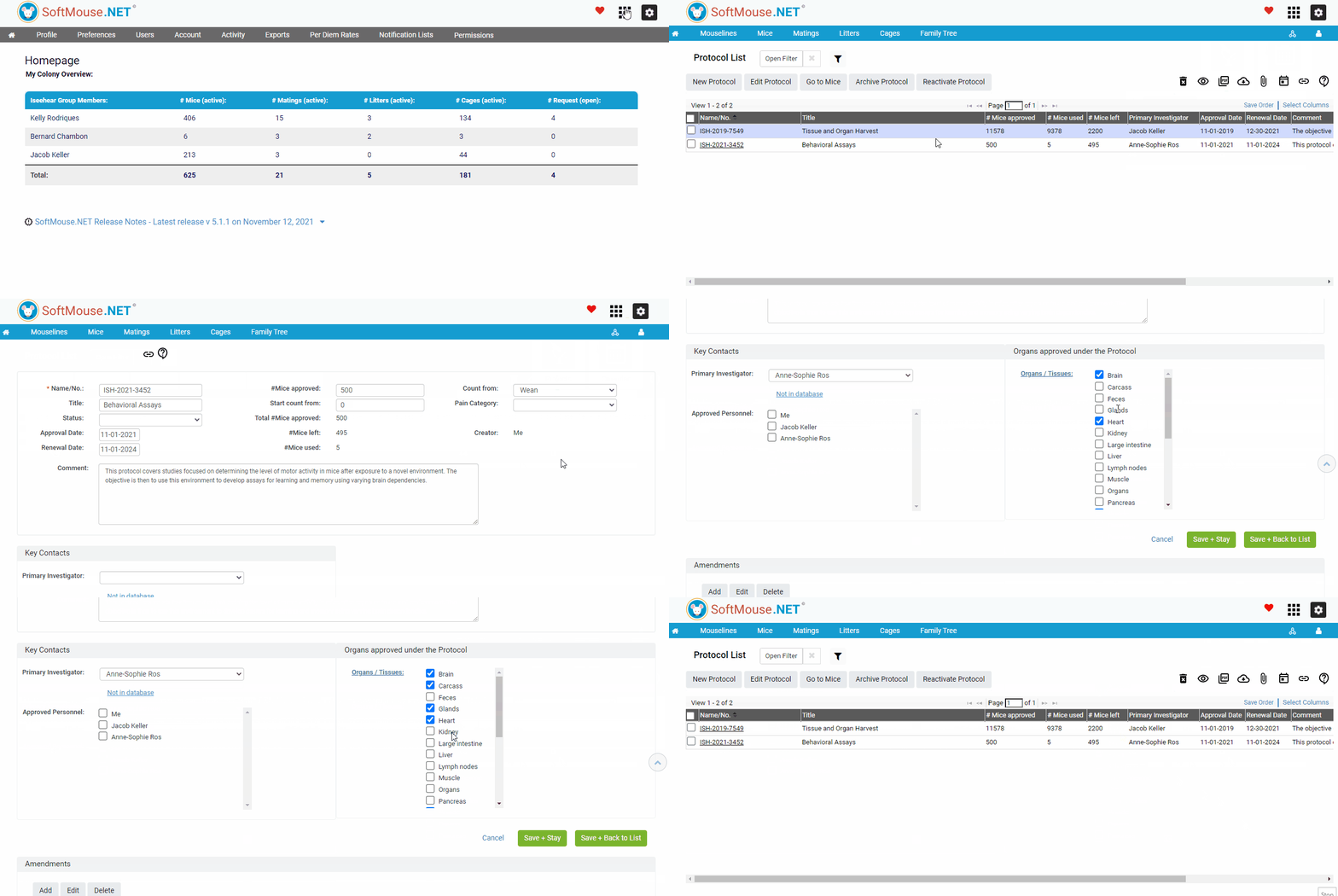
- Click the Modules square at the top right of your screen
- Select the Protocols Module
- Click the name of the Protocol in question
- In the Samples Approved under the Protocol section, select all samples that are allowed to be collected for this protocol
- Click Save
Done! Now when creating new Studies, if you select this Protocol on the Edit Study page, when Creating your Takedown Schemas, you will see all approved samples listed in the Sample drop down list.
If you have any further questions, please contact us with your inquiry.