
How to Add Time points to an existing Task
Here are the steps to follow:
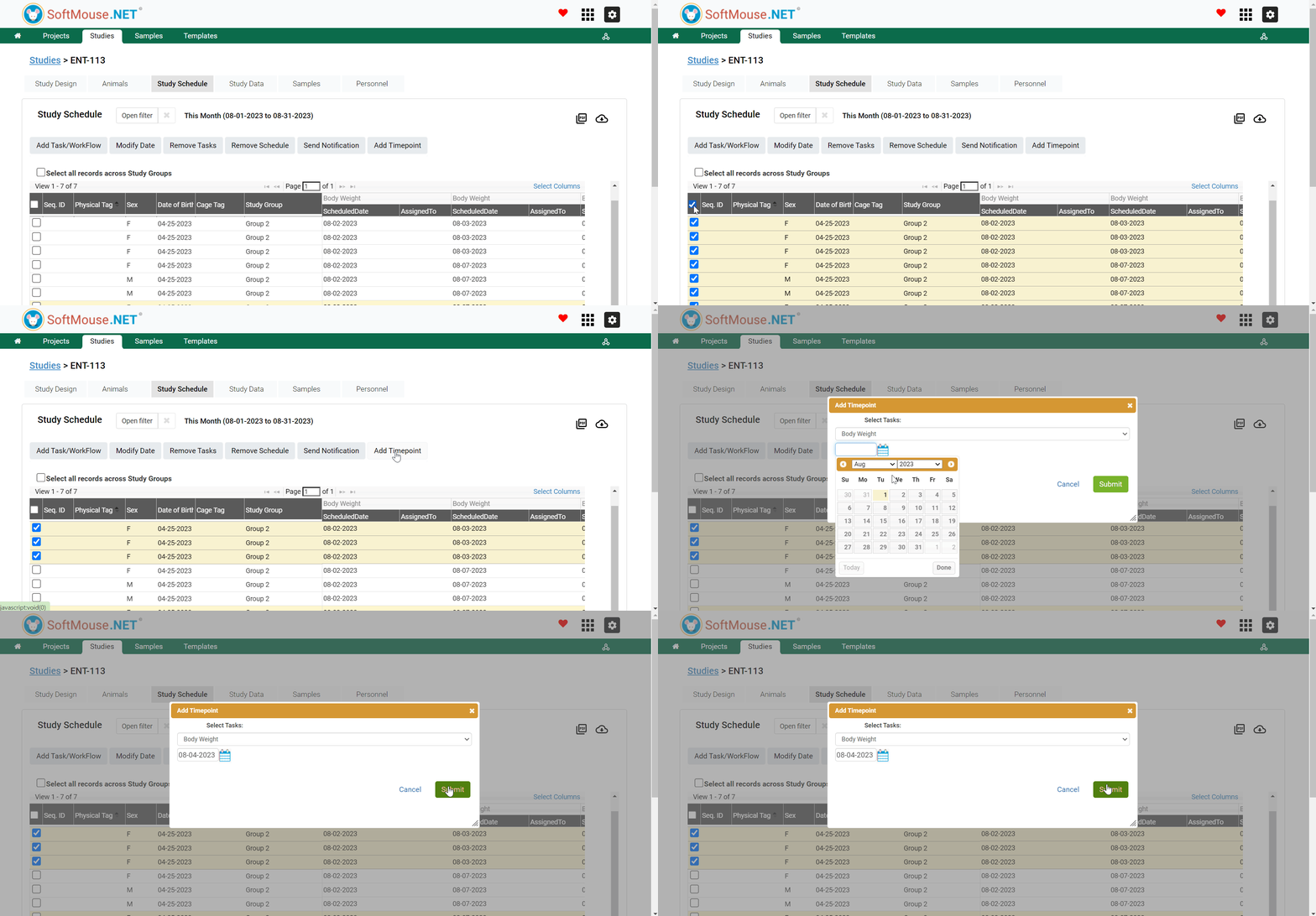
- On your Study Schedule page, select the animals you want to Add Timepoints to
- Select all records across Study Groups
- Select all Animals in a given Group(s)
- Select some Animals individually - Click Add Time Points button
- In the pop up box, select the Task of interest in the first field dropdown list
- In the Date field, select the date you want to Add a Timepoint on
- Click Submit
All done!
Following the aforementioned steps the Ade Timepoint will show on the Study Schedule and Study Data pages.
Tip! Repeat the steps above to enter Add as many Timepoints as needed.
If you have any further questions, please contact us with your inquiry.