
How to Change Account Owner
As the current account owner of your account you can change the account owner by following these steps:
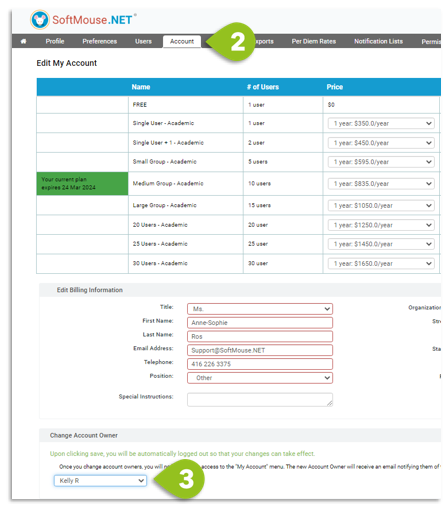
- Login to your SoftMouse.NET account
- Go to the Account page
- Select the new account owner in the Change Account Owner Section
- Click Save
Note: If the Account Owner is diferent from the Account Admin, the Account Owner will only have access to the billing information of the account.
If you have any further questions, please contact us with your inquiry.