
How to Change the Admin
As the current administrator of your SoftMouse.NET account, you can change the admin by following these steps:
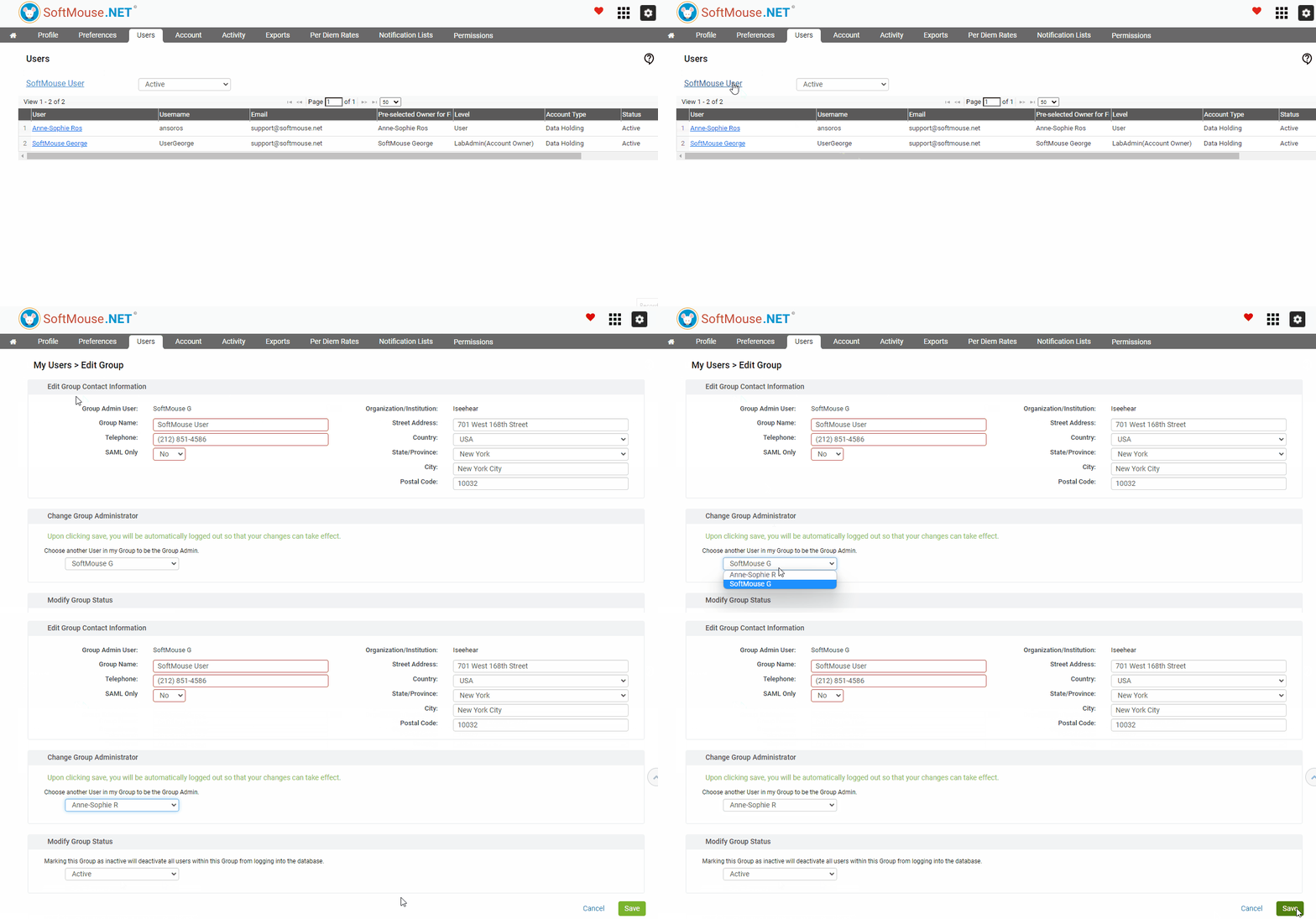
- Go to your Home Page
- Click on the Users Menu
- Click on the hyperlinked name above the list of users
- In Change Group Administrators, select the new Admin from the drop down
- Click on Save
Done!
Note: Because of the setting change, you will be automatically logged out of the account. On your next login, you will no longer have access to the User menu.
If you would instead like to add a second admin, instead of changing the admin user, you can follow these steps.
If you have any further questions, please contact us with your inquiry.