
How to Configure Tube Labels
Tube label customization can be performed by the SoftMouse.NET Admin User of your account. Once the admin configures the labels, all users within the group will share the new configuration.
Here are the steps:
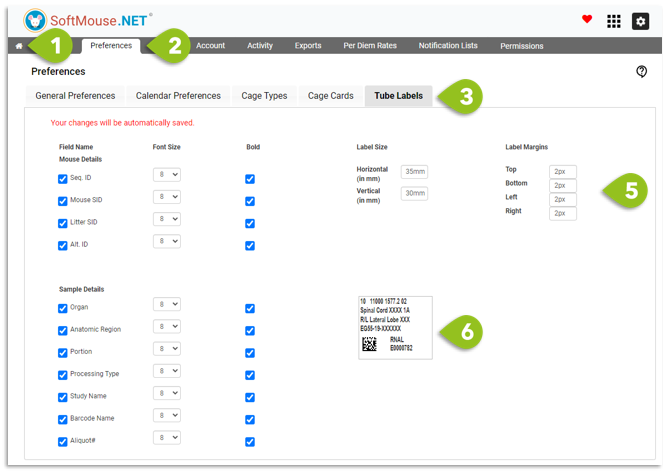
- Click the Home icon to get to the admin section (grey menu)
- Select Preferences
- Select the Tube Labels tab
- Select the options you’d like to have on your label
- Select the Label Size and Label Margin
- Use the live template beside the options to visualize your changes as they are happening
Note: changes will save automatically, there is no Save button on this page
If you have any further questions, please contact us with your inquiry.