
How to Create a New Project
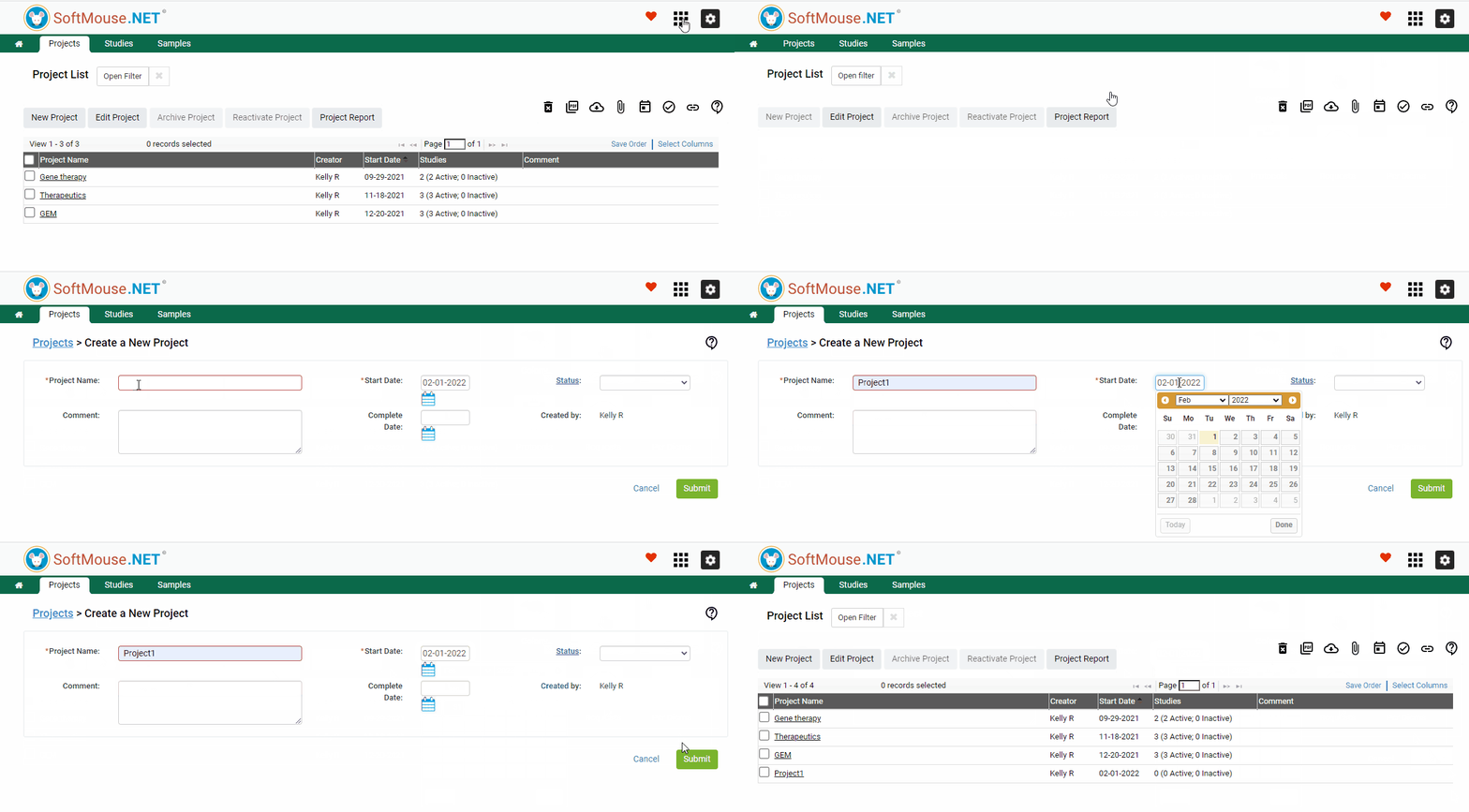
Follow these steps to create a New Project:
- Go to your Projects Module in the module menu at the top right of the screen
- Click the New Project button
- Enter your project name and a start date
- Fill in any additional information needed
- Click Submit
If you have any further questions, please contact us with your inquiry.