
How to Deactivate a User
Note: You must be the administrator of your SoftMouse.NET account to deactivate a User.
The deactivation of a user is effective immediately and the user will not be able to log in with their credentials after.
Here are the steps:
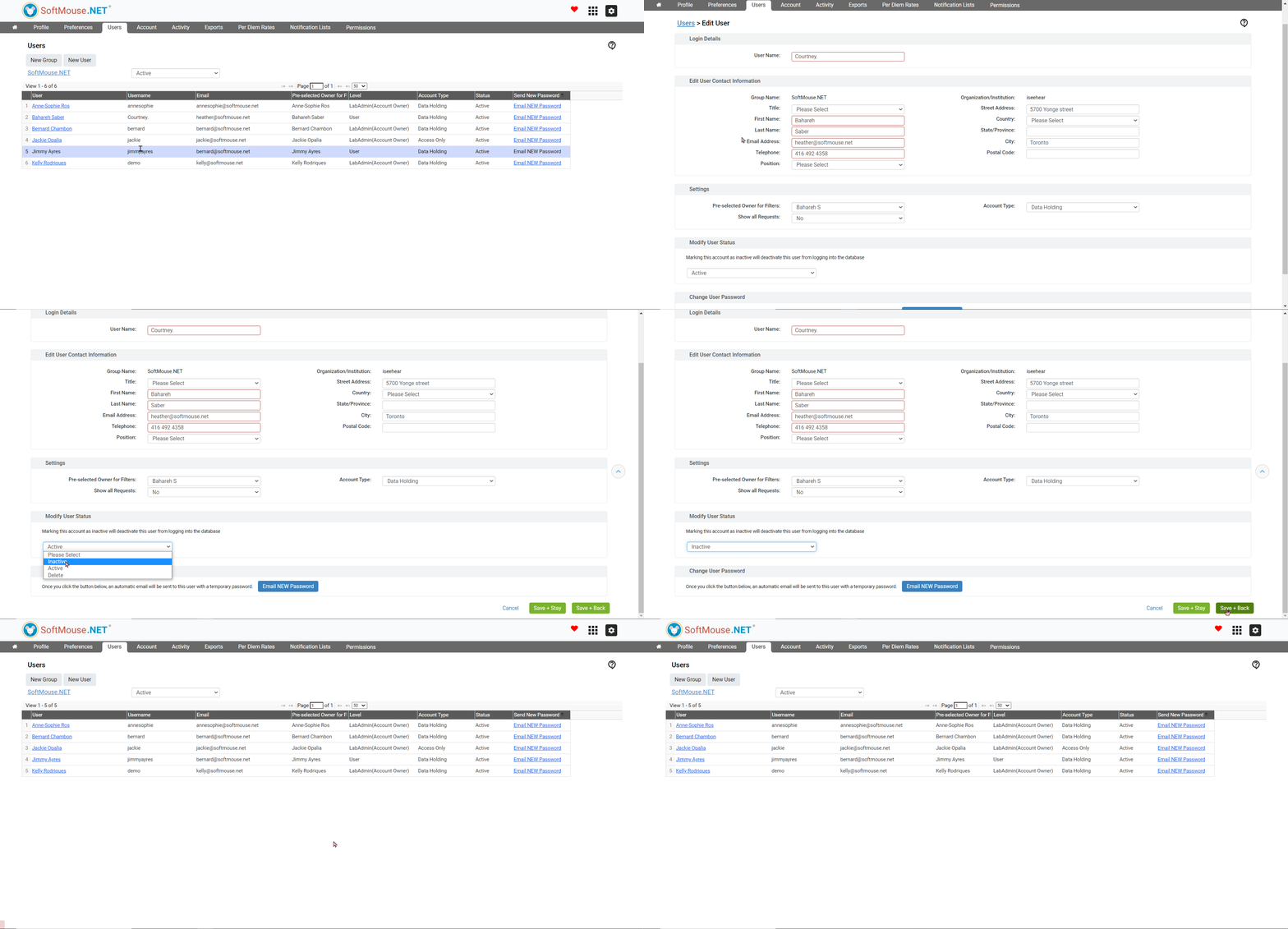
- Click the home icon on the left side of the menu bar
- Click the Users tab in the grey bar
- Click the User's name you want to Inactivate
- In the Modify User status table, select Inactive in the drop-down list
- Click Save + Back
The user is now deactivated and will no longer be visible on the homepage.
If you have any further questions, please contact us with your inquiry.