
How to Mark an Accidentally Archived Sample as Collected
If you accidentally forgot to scan a tube at collection time and the sample ended up being archived, you can easily correct this by changing the sample state to Collected.
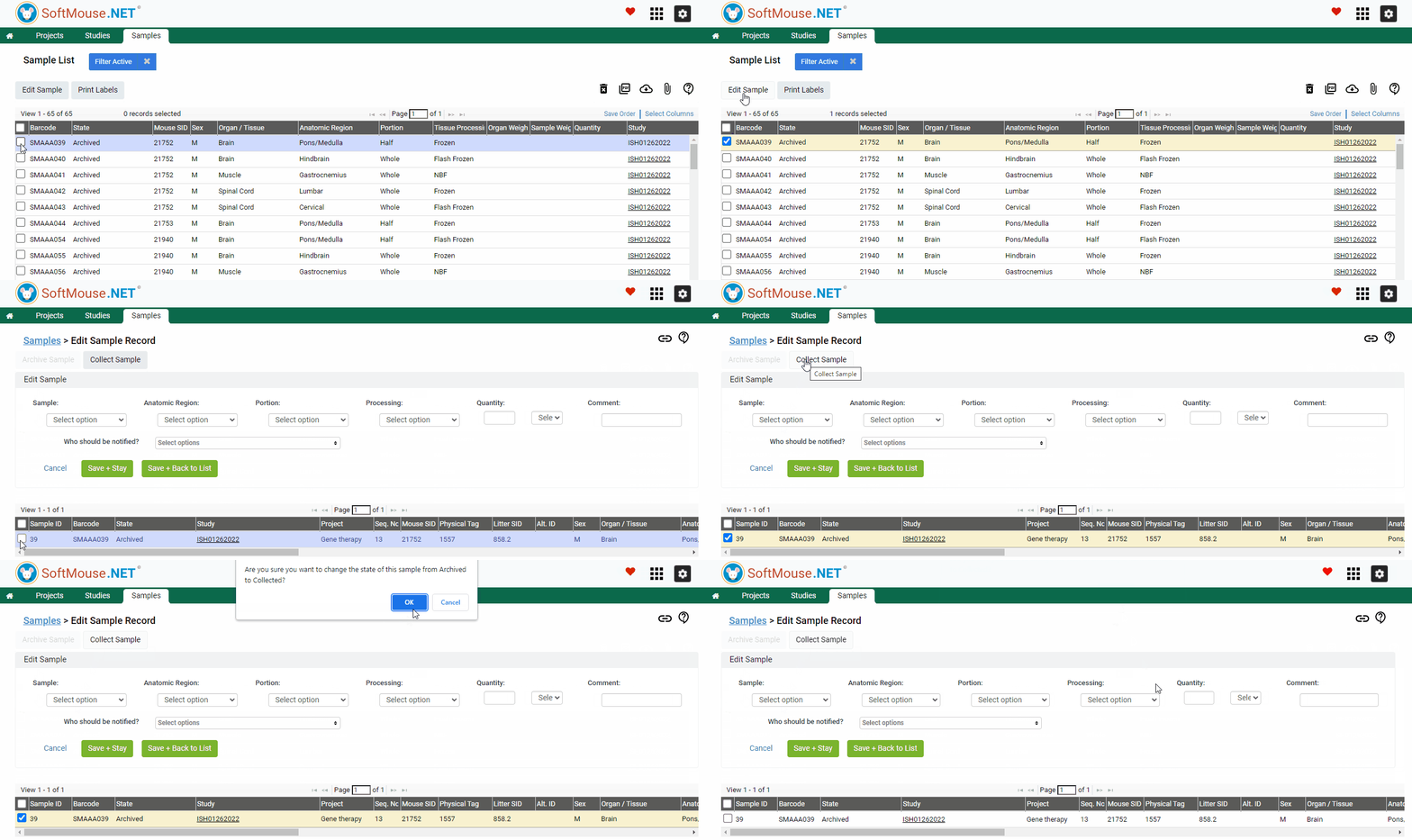
Here are the steps:
- Go to the Samples menu
- Select the Sample(s) whose state needs to be changed --- use the Filter to narrow down your search, e.g. by Study Code, Sample type, etc.
- Click Edit Samples
- On the Edit Samples page, select the samples
- Click Collect Sample
Done! Now the state of the sample(s) will be changed to Collected.
If you have any further questions, please contact us with your inquiry.