
How to Populate the Takedown Schema Template Library
If you will be using the takedown schemas across studies, you can create a library bank of various schemas to select within each study, saving you time and effort when you are generating new study records!
Here are the steps:
- Go to the Study Edit Page
- In the Study Design, scroll down to the Takedown Schema Section
- Click on Create a Takedown Schema
- Add and complete the rows of samples with desired sample information for collection
- Click on Add Library Template
- Name your template
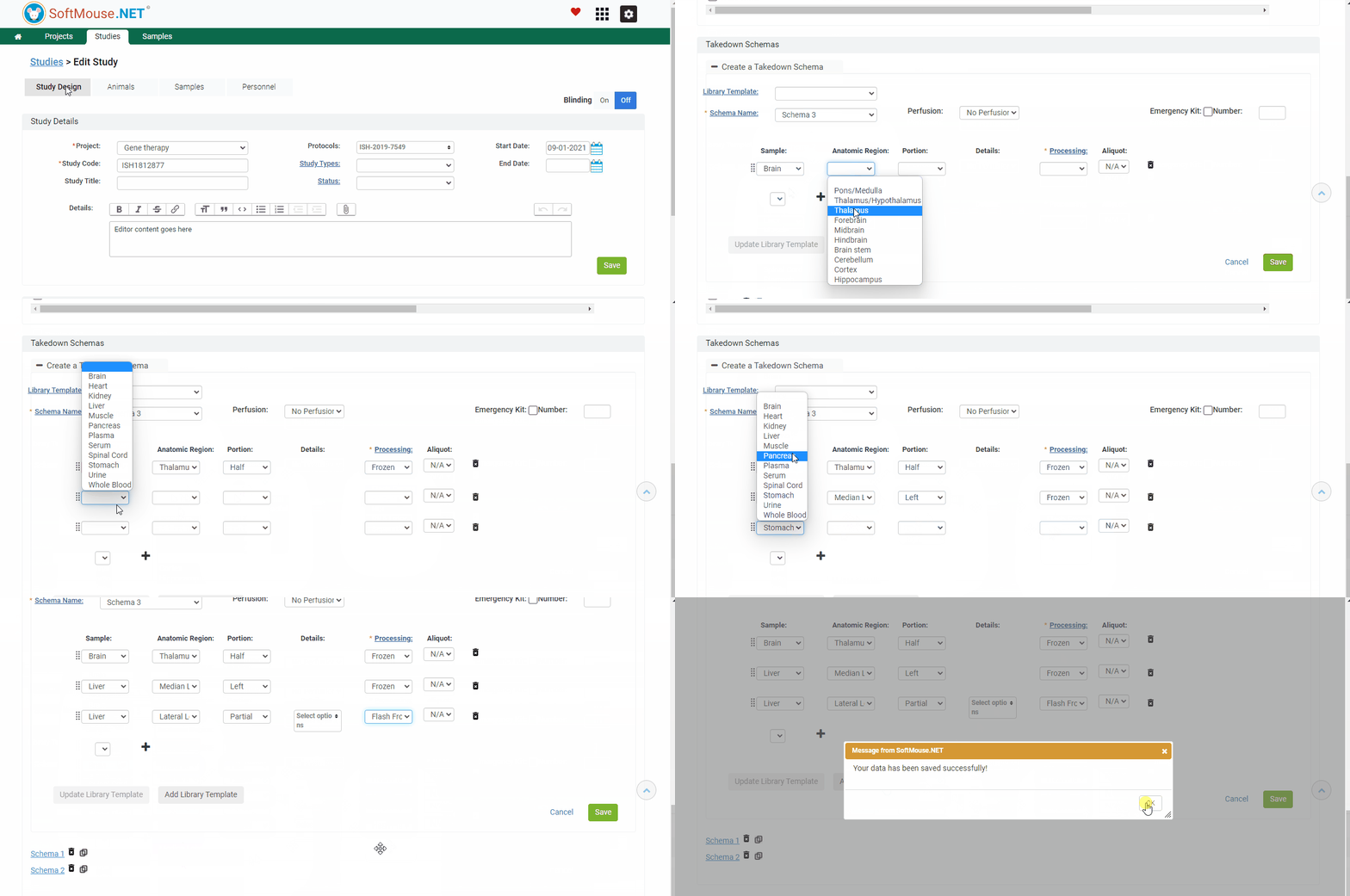
Done! Now when you create another Takedown Schema in a different study, you can pre-populate your Takedown Schemas by selecting pre-set schemas from the library.
If you have any further questions, please contact us with your inquiry.