
How to Reactivate a Disbanded Mating
If you accidentally deactivated a Mating record, you can easily reactivate the record by following these steps:
- Go to your Mating List and click Open Filter
- In the State dropdown, select the Inactive check box (deselect the Active checkbox as well) and click Filter --- feel free to use other filter parameters as well
- Next, select the desired Mating you wish to reactivate --- you must do one mating at a time
- Click the "Edit Mating" button
- On the Edit Mating page, select all breeders in the Breeder Information table
- Finally, click on the 3-dot button under the Matings > Edit Mating Record header, select "Unretire Breeders"
- Click ok on the confirmation popup
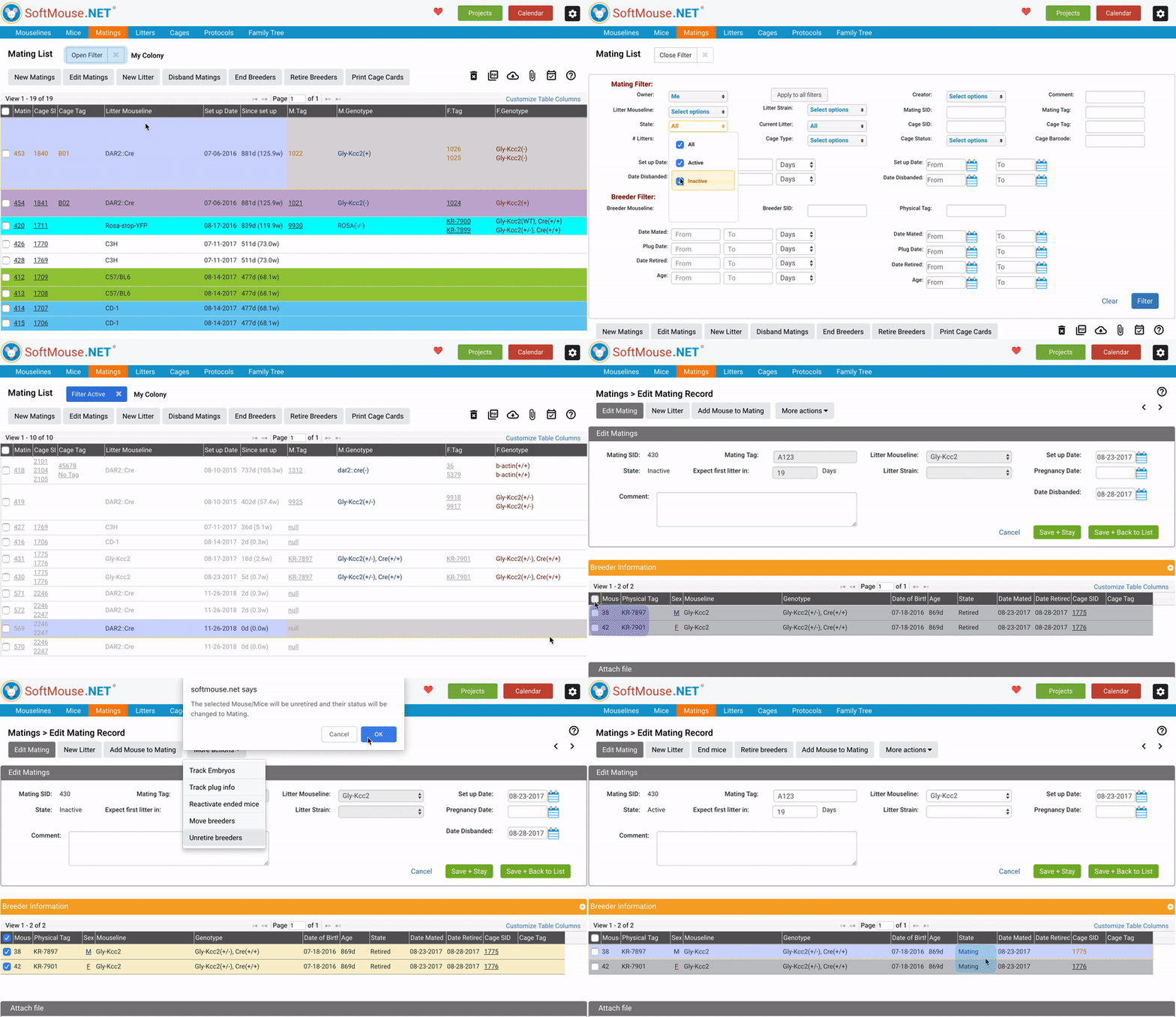
Once the Breeders have been reactivated, you can once again access the Mating in your active Mating List. You will also notice that their State in the Breeder Information table will change from Retired to Mating and change from Inactive to Active on top of the Edit Mating page.
If you have any further questions, please contact us with your inquiry.