
How to Set Super Study Administrators
A Super Study Administrator has full EDIT and CREATE access to all Studies in the account. They can also set study access permissions to every user in the group.
Note only account Admins already have this access, and only admins can set another user to be a Super Study Administrator.
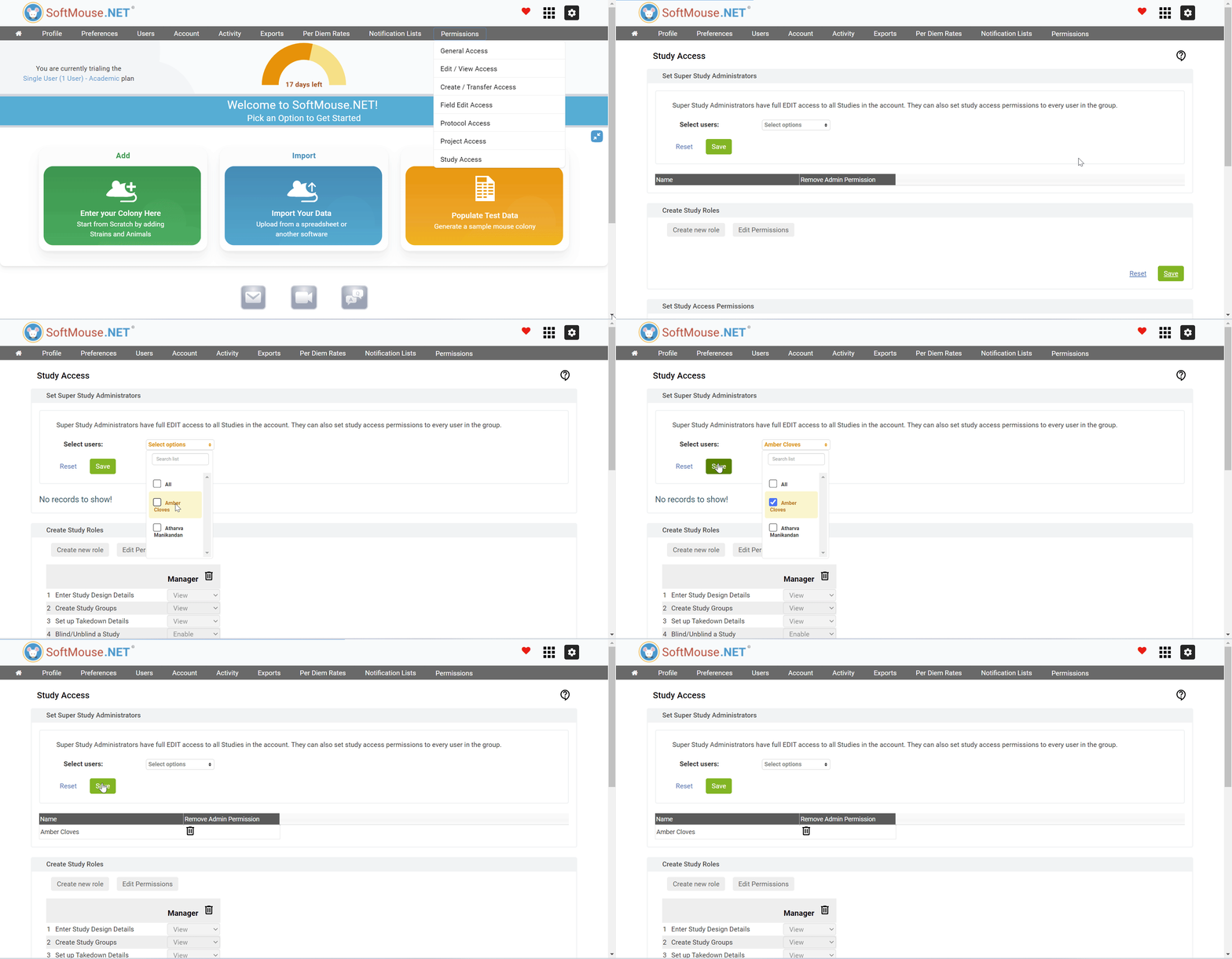
Here are the steps for an Admin to create a Super Study Administrator:
- On the Homepage, Navigate to the Preferences drop-down
- Click the Study Access drop-down
- On the Study Access Permission Page navigate to the 'Set Super Study Administrators' window
- Under the 'Select Users' drop-down, select the user you wish to make a Super Study Administrator
- Click save
All set! This user will now be a Super Study Administrator.
If you have any further questions, please contact us with your inquiry.