
How to View Tasks on the Calendar?
Here are the steps to follow:
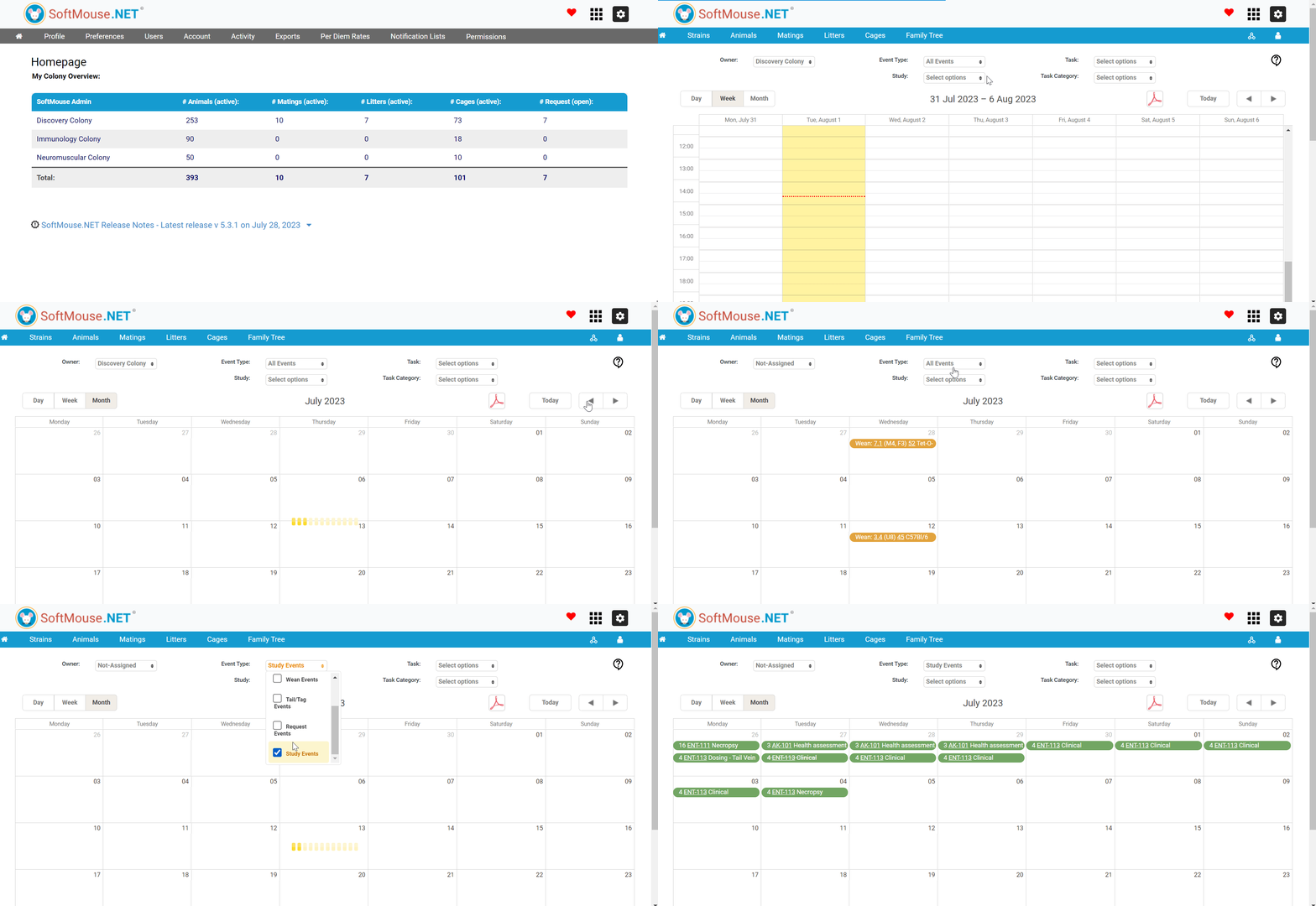
- Access the Calendar Module in the Modules Access menu
- Select your preferred period i.e. Day, Week or Month
- In the Owner field, select Not-Assigned in the drop down list
- In the Event Type field, uncheck All Events and select Study Events
All done!
Following the aforementioned steps, all Tasks under all Studies will be on display on the Calendar in the selected period view.
Tip! You can narrow down your selected Tasks to show by changing the selected values in the following fields:
Study: select a specific Study(s)
Task: select a specific Task(s)
Task Category: select a specific Task Category(s)
If you have any further questions, please contact us with your inquiry.