
How to grant General Access
NOTE: You must be the administrator of your SoftMouse.NET account to grant Access Permissions.
This menu allows you to set a general permission for the whole group if you would like all users to have the same access.
TIP: To allow users to set up their own permissions and override the general permissions to specific users, click here
TIP: If you want the user to create records for another user, click here.
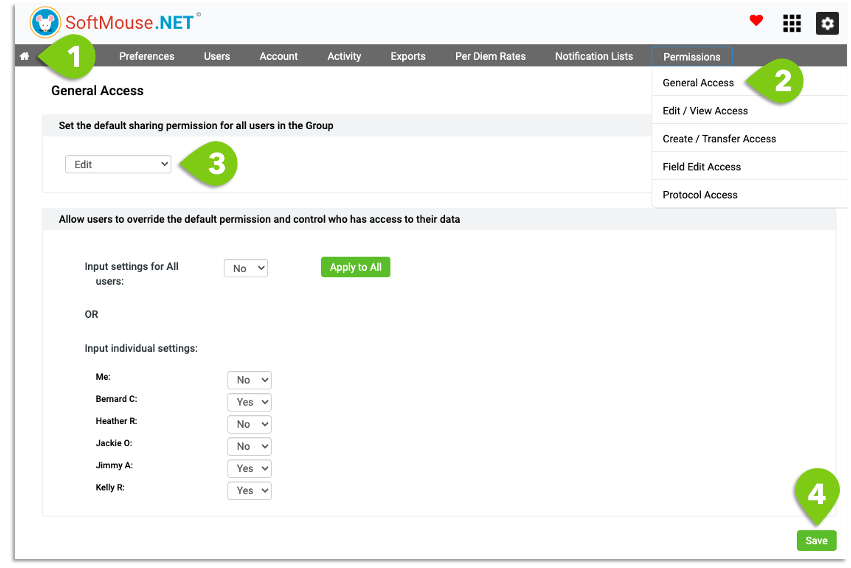
Here are the steps:
- Click the Home icon button at the far left in the top menu
- Click the Permissions menu, then click the General Access submenu
- In first drop-down list, select the Permissions you want as the default for all users in the Group
- Private: users are only able to edit their own data, with no access to the data of the other users
- View only: users will be able to edit their own data, and view the data of the other users
- Edit: users will be able to edit their own data, as well as the data of the other users
- Click Save in right bottom corner
Done!
To see this workflow in action, check our Group Accounts and Permissions recorded webinar.
If you have any further questions, please contact us with your inquiry.