
How to Add Strains
Here's how to create strains:
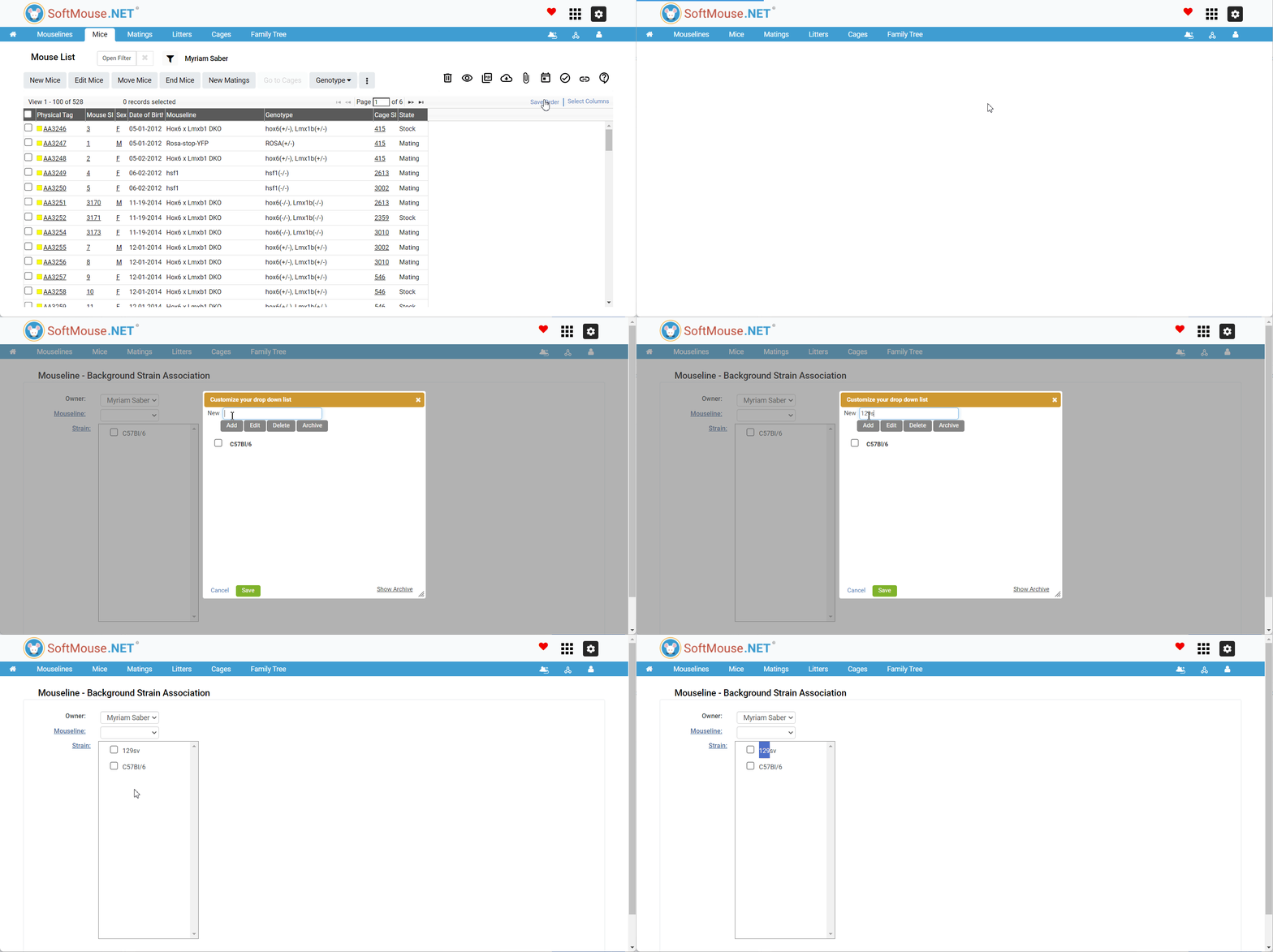
- Click the Associations menu in the blue menu header
- Click Mouseline - Background Strain submenu
- Click on the Blue "Strain" title link to enter a new strain
- In the pop-up window, enter the strain name
- Click "Add"
- Click "Save"--- you should now see the strain name as a selectable option in the box
If you have any further questions, please contact us with your inquiry.