
How To Create New Mouselines
In Softmouse, creating mouselines is both simple and effortless.
Here are the steps to create a mouseline:
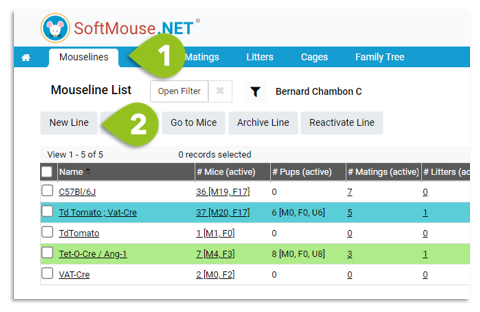
1. Go to your Mouseline List by clicking Mouselines in the blue menu header.
2. Once on the Mousline List page, click on the New Line tab. --- You'll be forwarded to the Create A New Mouseline Record Page
3. Enter the name and all relevant information for your new mouseline
4. Click on Submit
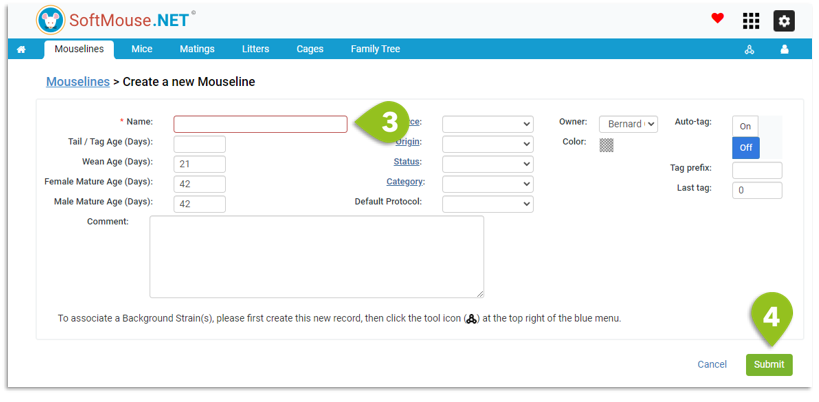
You have now completed creating your new mouseline.
Note: If desired, you can automatically be forwarded to your Mouseline List by changing the Page After Login setting under My preferences
If you have any further questions, please contact us with your inquiry.