
How to Add an Admin
As the administrator of your SoftMouse.NET account, you can add an additional admin by following these steps:
- Go to your homepage
- Click on the Users Menu
- Click on the desired user's name in the table
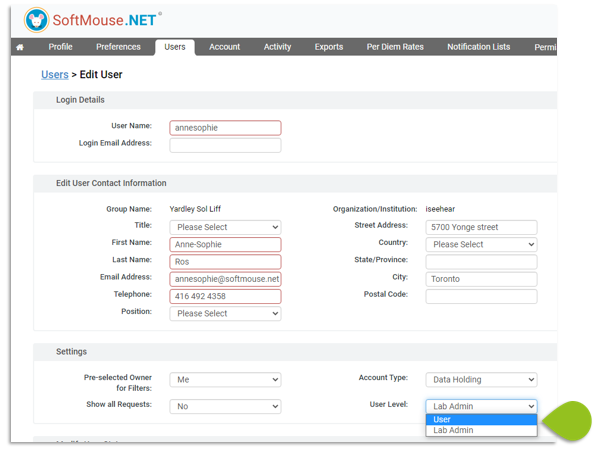
- In Settings, select Admin in User Level drop down
- Click on Save
- Done! The user is now an Admin of your account.
Note: you can feel free to add in as many admin as you like, however note that an admin has full privileges on the account to modify any user, permissions and data records. As such, it is recommended to restrict this level of access to only those who need it.
If you have any further questions, please contact us with your inquiry.