
How to Change the Study Group of an Animal
If you accidentally add the animal to the incorrect Study Group, you can easily modify the Group.
Here are the steps:
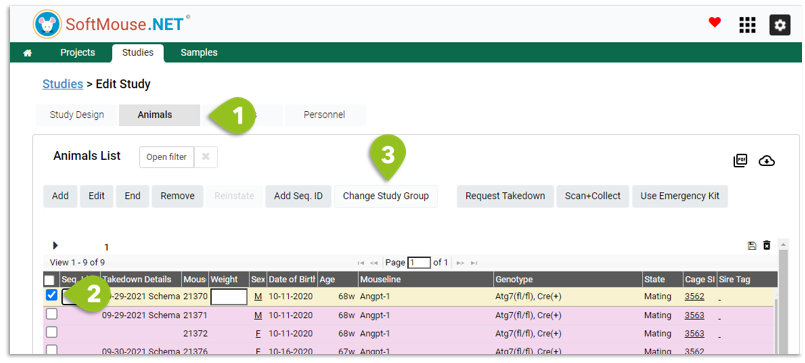
- Go to the Edit Study page, and click Animals tab
- Select the animal(s) whose Study Group needs to be changed
- Click on Change Study Group
- Select the correct Study Group
- Click on Submit
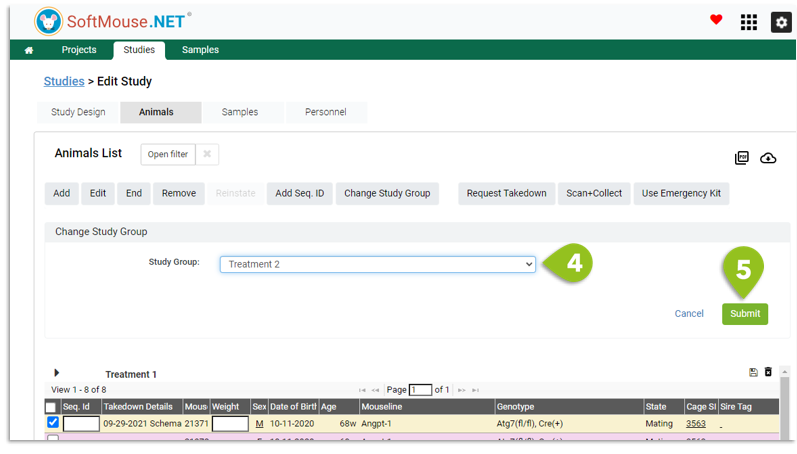
Done! Now the mice will show in the correct Study Group.
If you have any further questions, please contact us with your inquiry.