
How to Create a New Study and Study Groups
Here are the steps to create a New Study in SoftMouse.NET.
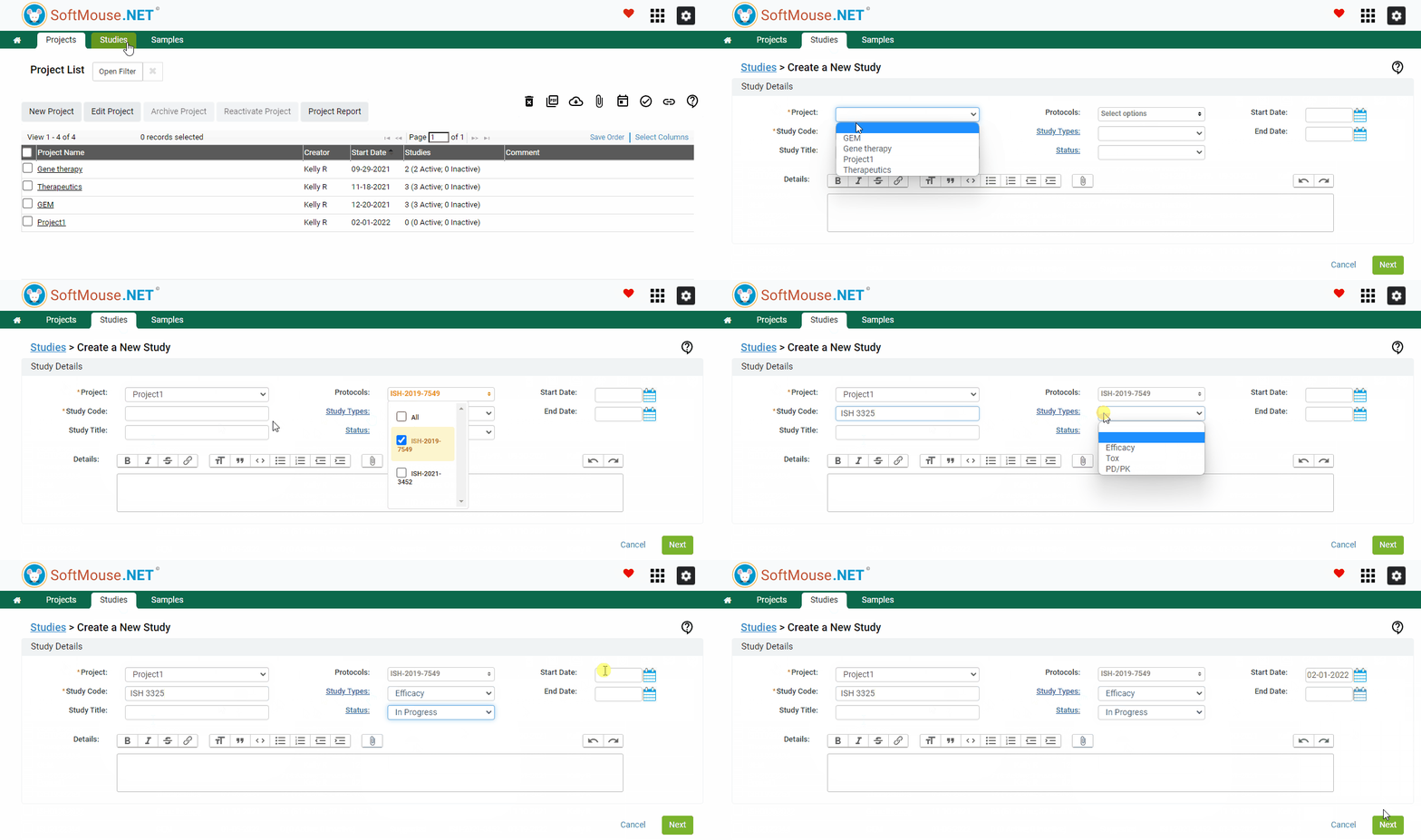
Step 1: Create a New Study
- Go to the Studies Menu in the green bar
- Click the New Study button
- Select the Project
- Select the Animal Use Protocol from the Protocol drop down that governs the Study --- this is a required field if you will be Creating Takedown Schemas
- Enter your Study Code and Study Title
- Enter any other information needed, including Status, Start Date, detailed Description, etc.
- Click on Next
Step 2: Create Study Groups
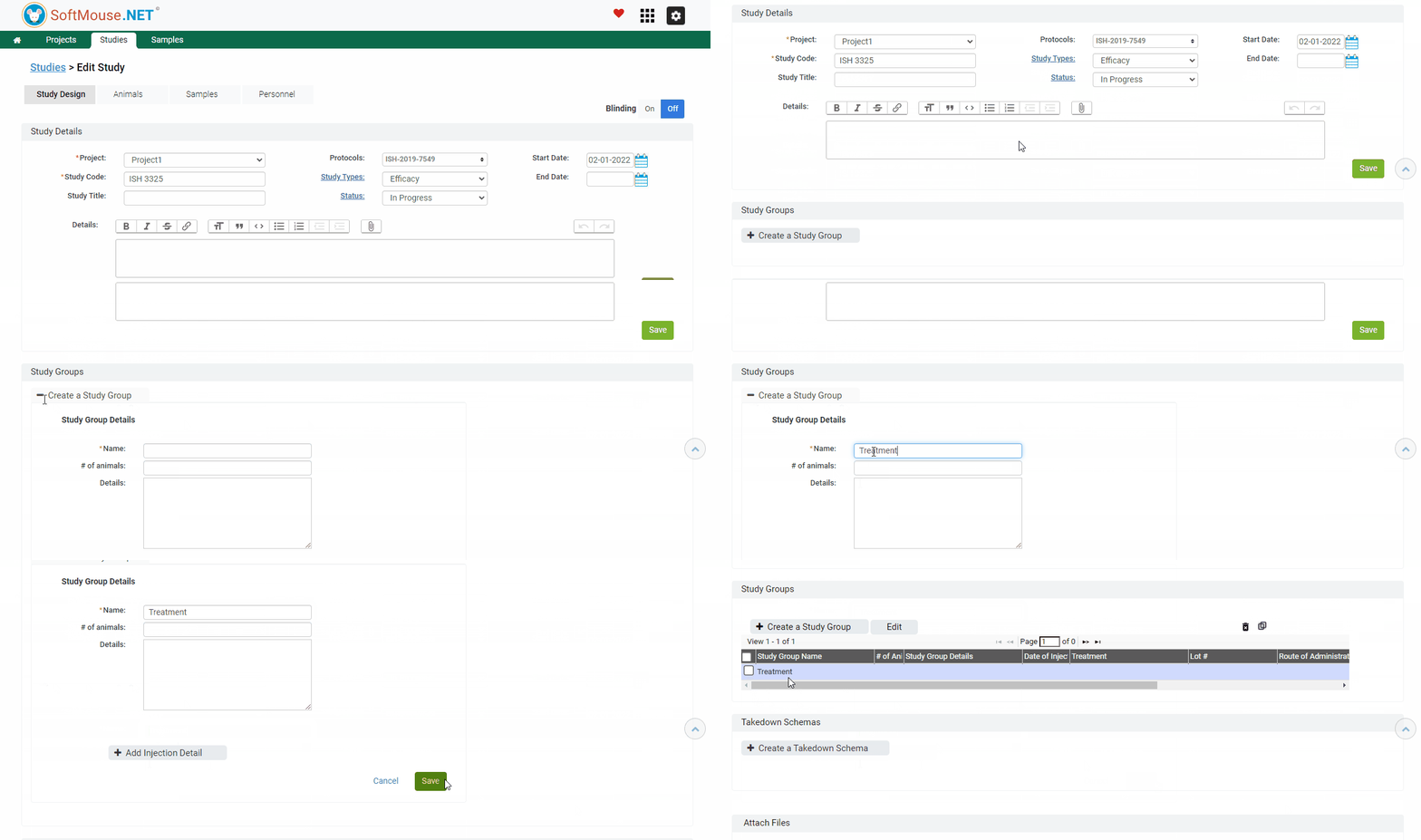
- Click on Create a Study Group
- Add the Name of your first group, # animals Animals and any relevant details
- Click Add Injection Detail to include any information on injections that will be given to animals within this group
- Click on Save
Done!
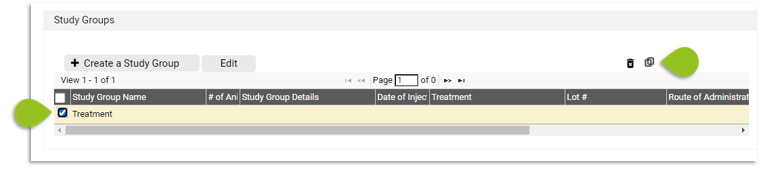
Note: If you are creating another Study Group with similar parameters, you can click on the Clone icon to duplicate the Study Group and change a few parameters as needed.
If you have any further questions, please contact us with your inquiry.