
How to Create a Regular (One-Time) Order
There are three types of Orders that can be generated in SoftMouse.NET:
Follow these steps to create an order of animals that will arrive in one shipment:
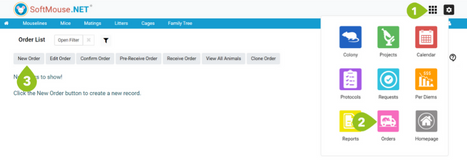
First, navigate to the Order module:
- Click the module menu at the top right of the screen
- Click the pink Order icon
- Click the New Order button
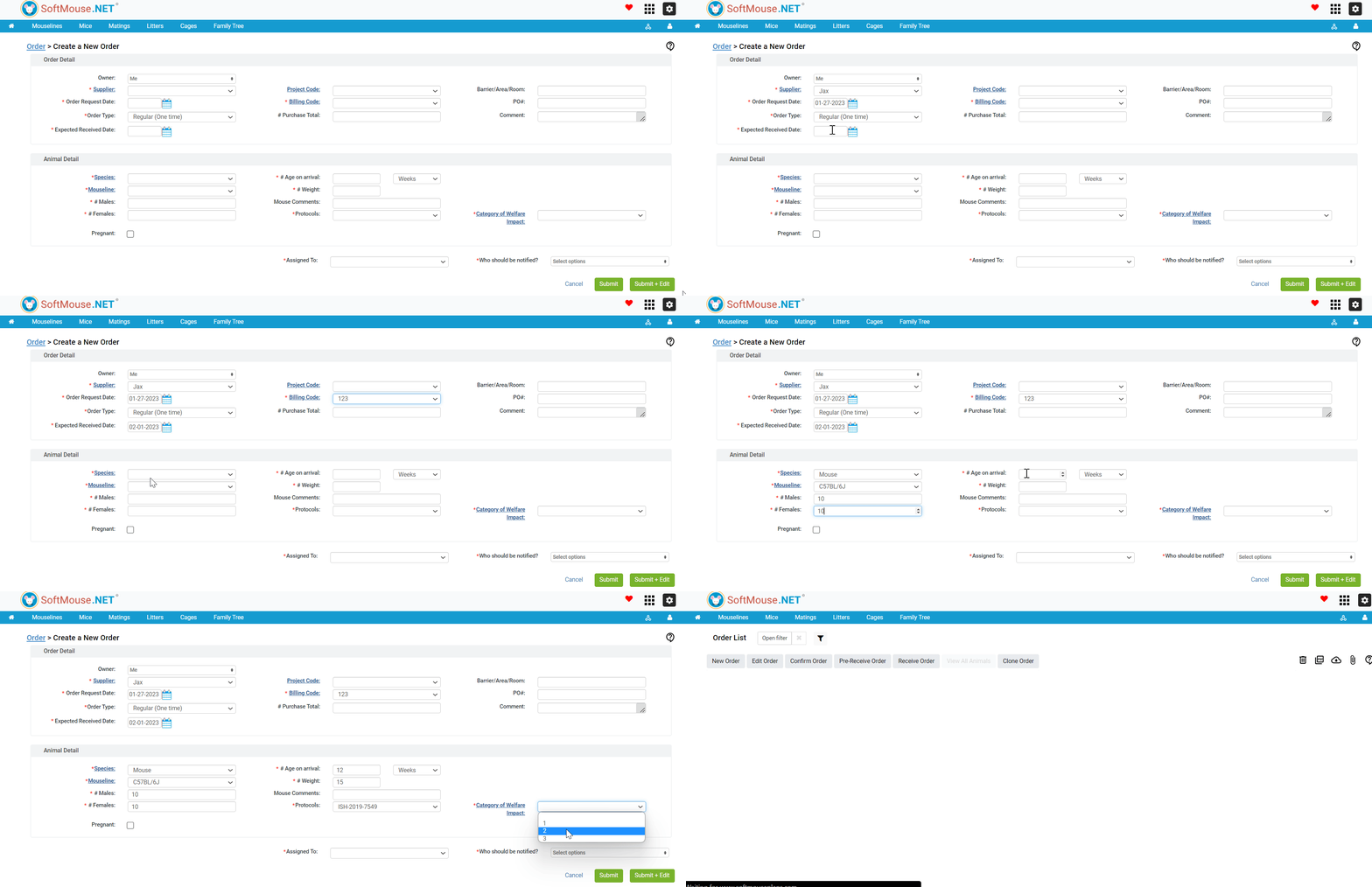
On the New Order Page, enter the Order details:
- Under the Owner drop-down, select the owner who the animals will be created under
- Under the Supplier drop-down, enter the name of the Supplier you are ordering from
- For the Order Request Date, enter the date on which you are requesting the order (e.g. today)
- Under the Order Type drop-down, select 'Regular (One-Time)
- For the Expected Received Date, enter the date your facility is expected to receive the animals
- Enter the Billing Code
- Fill in any additional information needed
Then, add the Animal Details:
- Under the Species drop-down, select the Species of Animal. --- Click the word Species to enter a new species name as needed
- Under the Mouseline drop-down, enter the Mouseline of the Animal
- Enter the number of males or females you are ordering --- Only one of these two boxes is required. E.g. you can put a number of males, or a number of females, or both.
- Enter the expected age of the animals upon arrival --- The estimated birth date will be calculated from the age of the animals and the Received Date.
- Enter the anticipated weight of the ordered animals if known (eg: 15 lbs)
- Select the Protocol the animals will be assigned to
- If you will be ordering animals that will be pregnant on arrival, select the Pregnant check-box
- Fill in any additional information needed
You can then select a user to be assigned to the Order, along with any users that should be notified of the Order’s creation.
When ready, click Submit to complete the Order or click Submit + Edit to complete the Order and move to the Edit Order Page to attach a file or add any additional notes.
If you have any further questions, please contact us with your inquiry.