
How to Create a Takedown Schema
At the start of your Study, when planning the tissues you'd like to collect at necropsy, you can easily create pre-defined takedown schemas that you can then associate with the mice in your study when ready.
Note: you can also Create a Library of Takedown Schemas for use across studies.
Important Note on the Sample drop down content:
If your Sample drop down menu is empty, this could due to 1 of 3 reasons:
- You need to first Select a Protocol from the Protocol drop down menu at the top of the Edit Study page. Simply select the Protocol, click Save and you'll see your Sample list populated with the Samples allowed on this protocol
- You need to Add Samples with your Protocol to ensure compliance with what is allowed to be collected on this Protocol.
- You need to Associate your Sample Drop Down Content to ensure that your anatomic regions match your samples.
Once the above 3 items are configured, you are good to go!
Here are the steps:
- Go to your Study Edit page
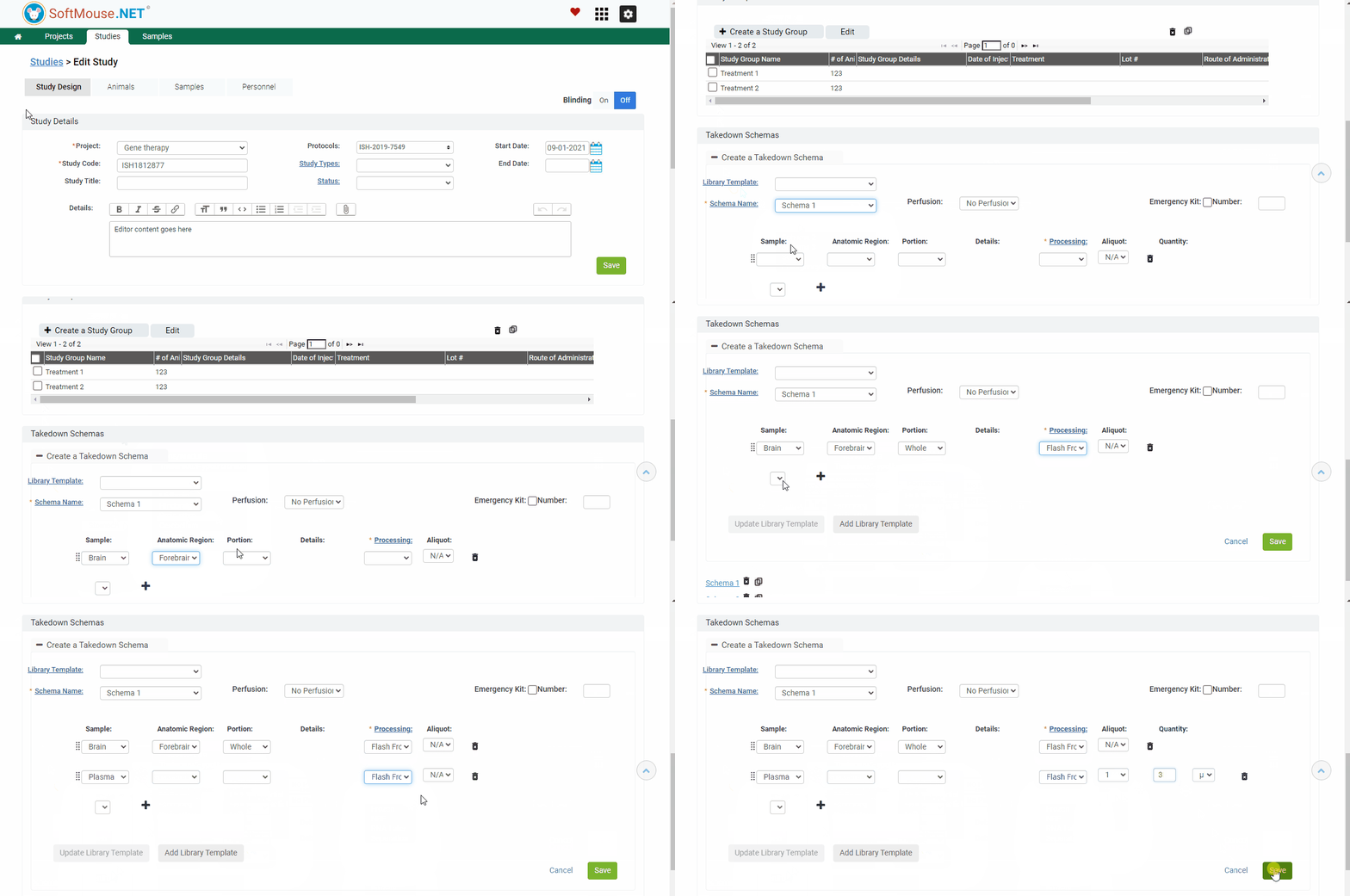
- Under the Study Design tab, scroll down to the Takedown Schema section
- Click Create a New Schema
- Input the Schema name, this is a required field --- to add a new schema name, click on the Schema name hyperlink
- Use the drop downs to enter your first sample information
Note:
- Portion: When selecting any Partial portion an additional dropdown will appear under Details column where you can enter the partial portion collection details
- Any sample (e.g. Serum, Plasma, Blood, etc.) allows you to enter the number of Aliquots used and quantities for each Aliquot.
- Click the + icon to add additional samples
- Click on Save
Done!
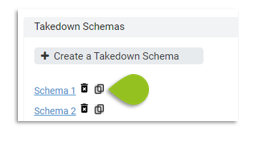
Cloning Takedowns Schemas:
If you are creating a similar Takedown as the first one with only a few differences (e.g. in tisssue processing or portion to be collected), you can easily clone an existing Takedown Schema, rename it and edit it as desired. This allows you to quickly add new schemas with minor variations, without having to re-enter all details anew.
If you have any further questions, please contact us with your inquiry.