
How to Create a Task with Thresholds?
Here are the steps to follow:
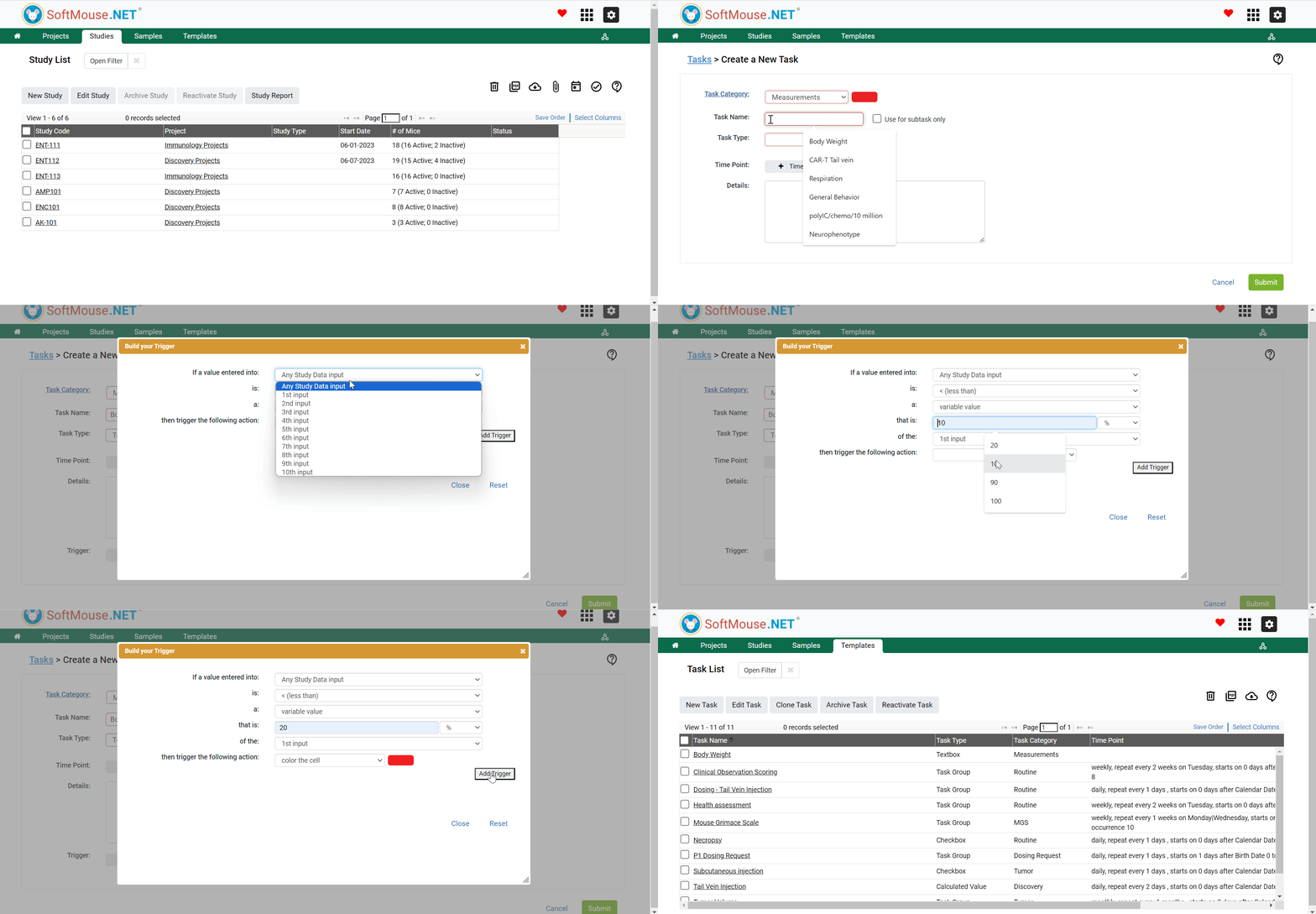
- In the Study Manager (Green tile labeled Projects), click the Templates tab in the green toolbar
- Click Tasks in the Templates submenu
- On the Task List page, click New Task
- In the Task Category field, select the respective Category in the drop down list e.g. Body Weight, Physical Appearance, Injection etc
- If the Task Category field Drop down menu is empty, Add the required values first
- In the Task name field, enter your preferred name e.g. Body Weight Measurement etc.
- In the Task Type field, select Text Box or Calculated Value or Custom Dropdown in the drop down list
- Click Set Trigger
- In the pop up box set the required fields to match your Trigger requirement.
- Click Add Trigger
- Click Save
All done!
Here is an example for reference:
To set up a Trigger to flag a 20% weight loss of the initial Animal weight recorded
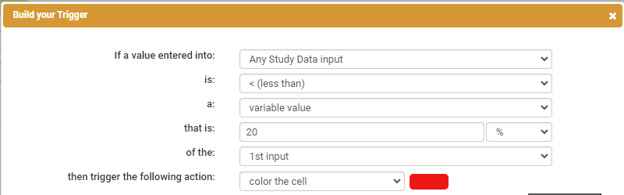
Following the aforementioned steps, changes in the entered Study Data that match your set Trigger criteria will be flagged e.g. Color the cell
If you have any further questions, please contact us with your inquiry.