
How to Create/Use an Emergency Kit
For situations where the takedown doesn't go as planned (e.g. abnormalities found, animal was found dead at the time of takedown, etc.), you can prepare an Emergency sample kit with a predefined collection schema to be used ad hoc.
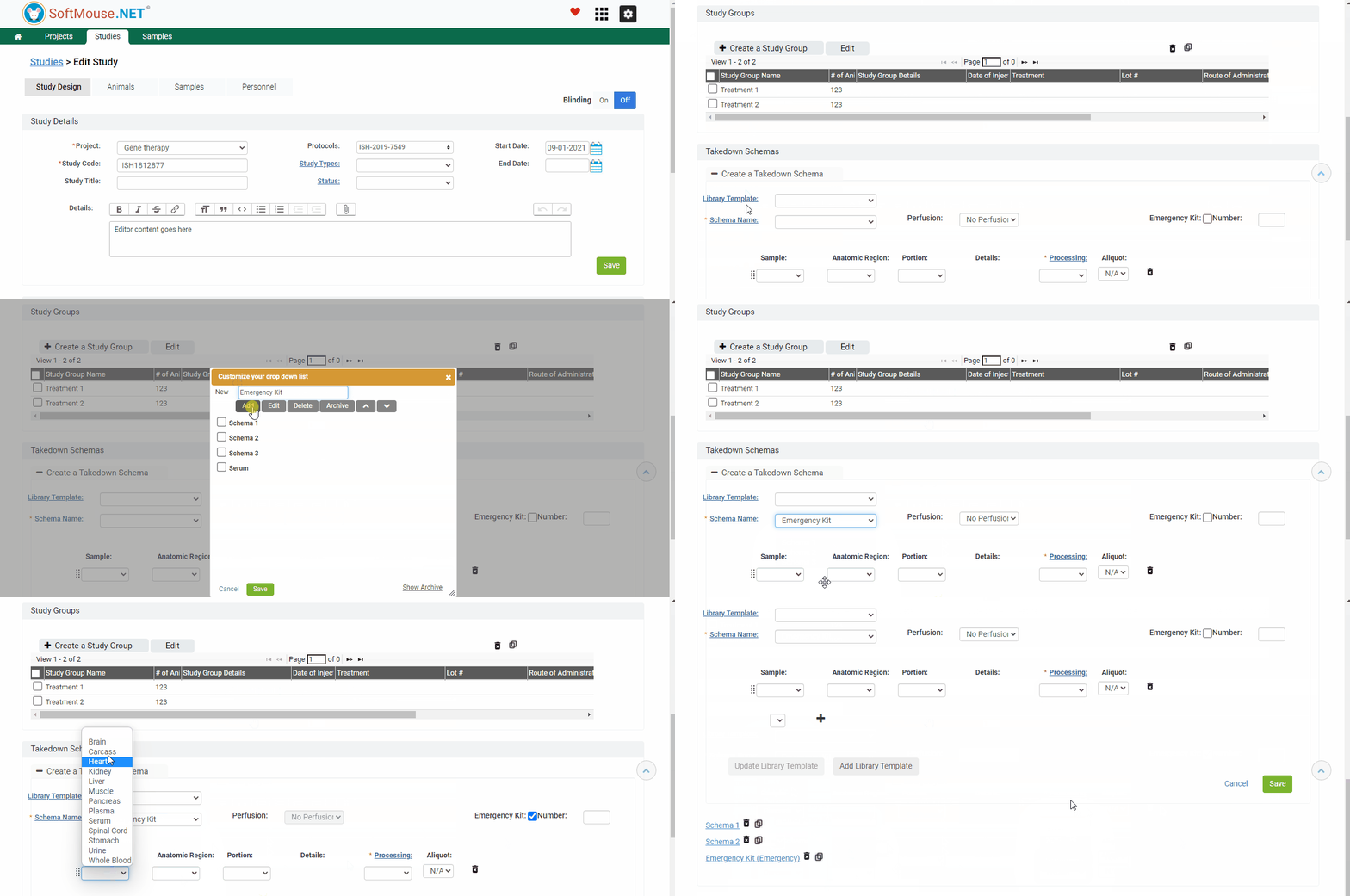
Steps to Create an Emergency Kit:
- Go to the Edit Study page
- Within the Study Design, scroll down to the Takedown Schema section
- Click Create New Schema
- Check the box labelled "Emergency Kit" and enter a number for the number of collection kits you need, minimum is 1
- Fill in the schema details as usual. We suggest also creating a Schema name called "Emergency Kit" or the like, in order to easily distinguish the Emergency Kit schema from the regular schemas
- Click Save
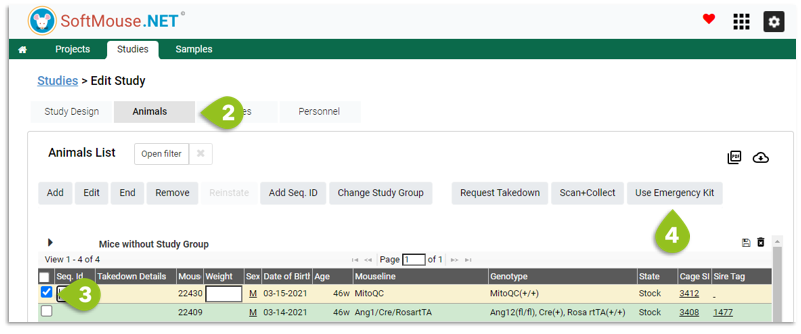
Steps to Use an Emergency Kit:
- Go to the Edit Study Page
- Click the Animals Tab
- Select the animals you need to use the Emergency Kit with
- Click Use Emergency Kit
- Proceed with the regular Scan+Collect workflow
If you have any further questions, please contact us with your inquiry.