
How to Delete a Mouse Record
You can completely delete a mouse record in SoftMouse.NET (as if it never existed).
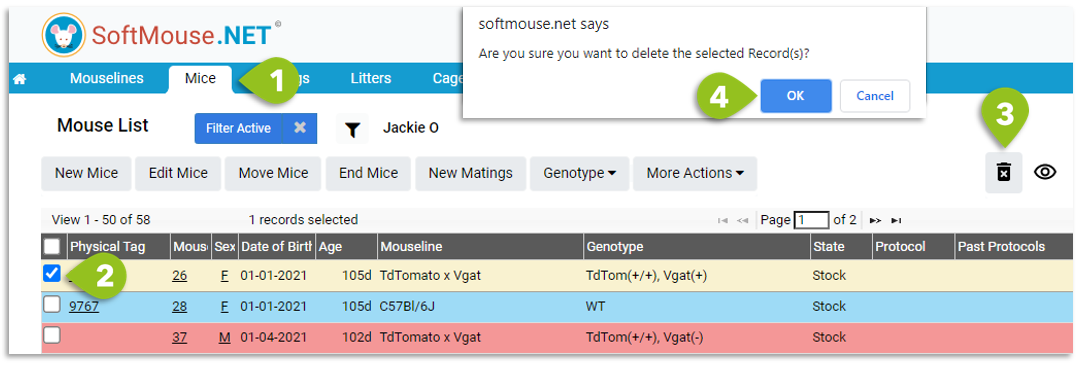
Here are the steps:
- Click the Mice tab in the blue menu bar
- On the Mouse List, select the mouse record you want to delete
- Click the black trashcan icon on the left side of the screen
- Click OK in the prompt at the top of the page
The mouse record is now deleted.
If you have any further questions, please contact us with your inquiry.