
How to End a Litter
If an entire litter is found dead or euthanized, you can easily mark the whole litter as 'Ended' in SoftMouse.NET.
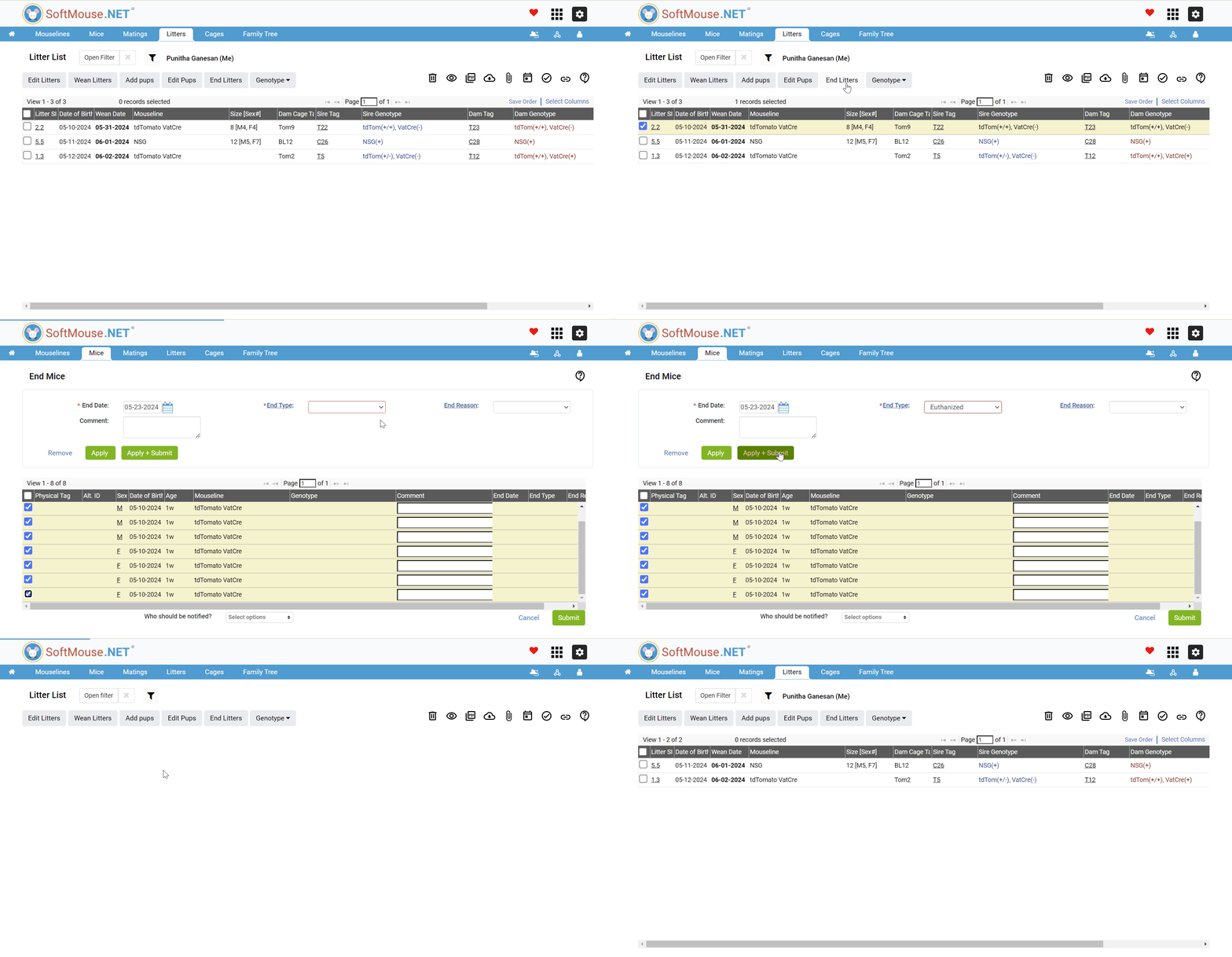
If the litter you are ending has pups entered into the database, please see the steps below:
- From the Litter List, select the litter that you want to end
- Next, click the "End Litters" button
- Select the End Date from the calendar
- Select the End Type
- Select the pups who are no longer active on the list
- Finally, to save your changes click the green "Apply + Submit" to button go back to the Litter List
Upon following these steps the litter and pups will have been ended.
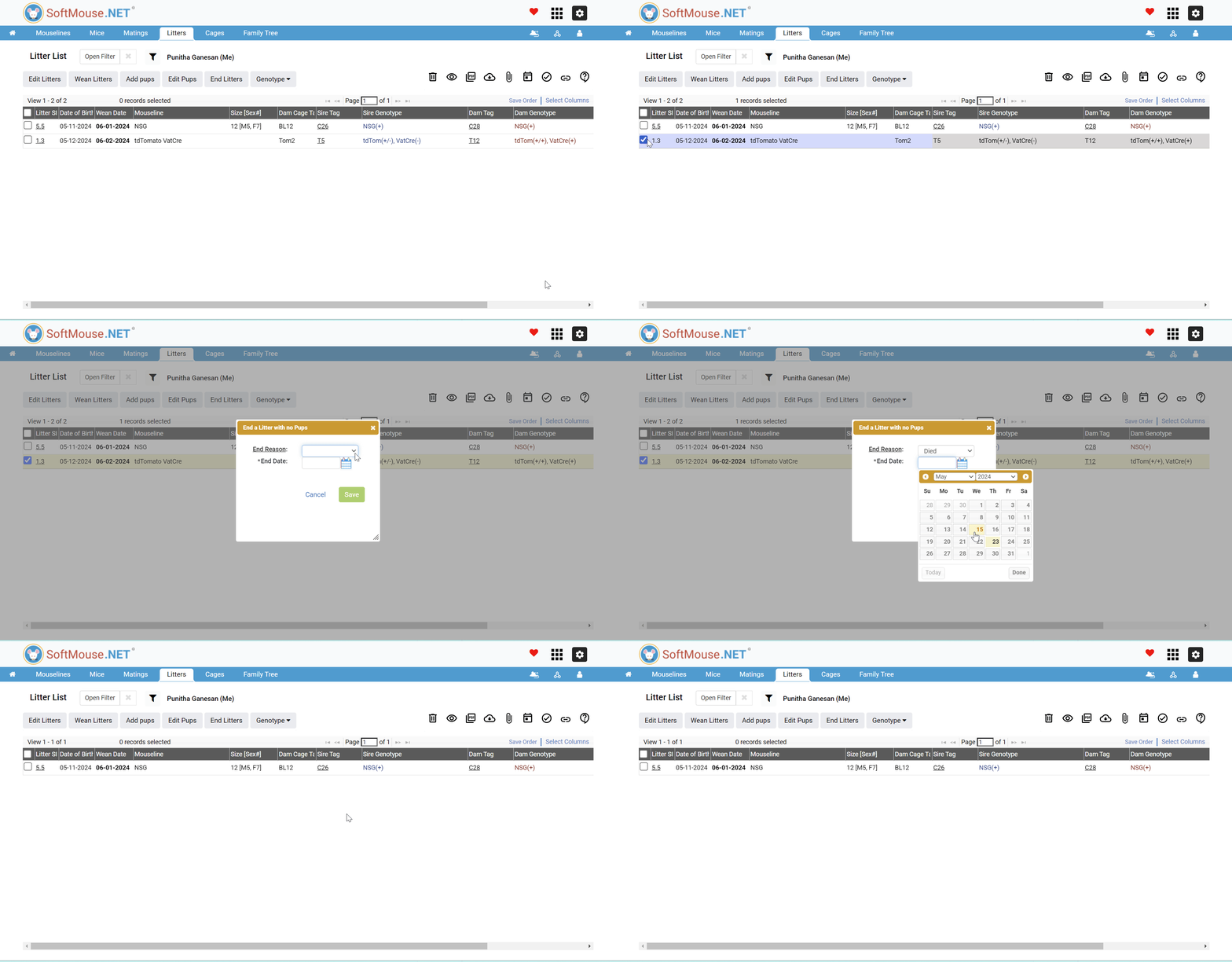
If you need to end a Litter that has no pups created (perhaps the information is missing or the pup count is not needed) here are the steps:
- From the Litter List, select the litter that you want to end
- Next, click the "End Litters" button
- Next, “End a litter with no Pups” pop up will be displayed
- In the pop up, Select the End Reason
- Next, Select End Date from the calendar
- Finally, to save your changes click the green "Save" button to go back to the Litter List
If you have any further questions, please contact us with your inquiry.