
How to View All Records in an Event
Here's how to view all of your records associated to an event:
1. From the calendar, double click on the event that you would like to gather more details on. (The event pop-up window will appear)
2. In the "Associated Records" section of the event pop-up, click on the "view all" hyperlink --- if you would only like to view one of the records, click on the hyperlink of any record directly form the event pop-up window
The system will now generate a list of every single record that is attached to your event.
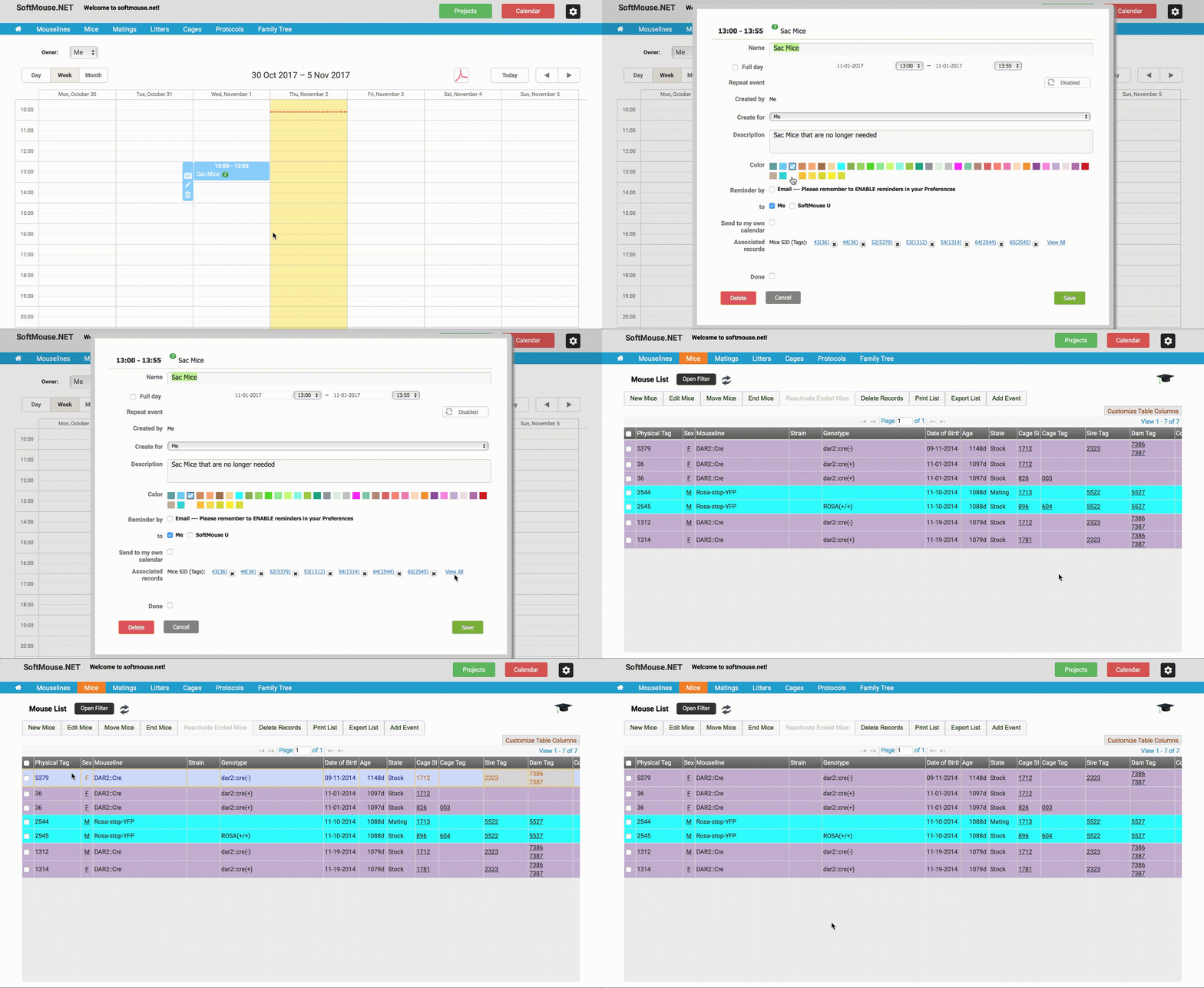
Note: In the Event pop up, you will see hyperlinks to the mice that you added, and when you save the event on the calendar, it will show the number of records that are included in the event.
If you have any further questions, please contact us with your inquiry.