
How to View Completed Requests
You can easily filter for completed requests as follows:
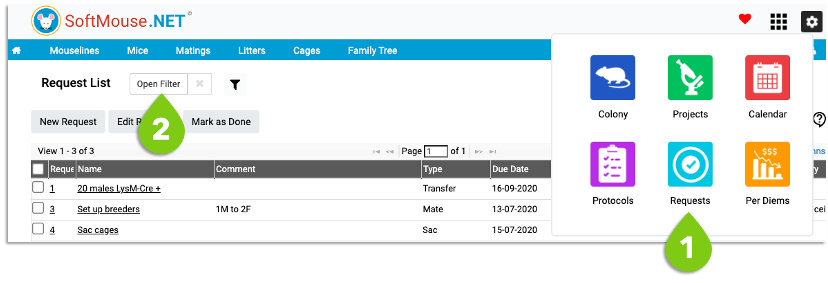
- Go to the Request List
- Click Open Filter
- Under Status, select Done - feel free to select any other filter parameter desired to narrow down your search
- Click Filter
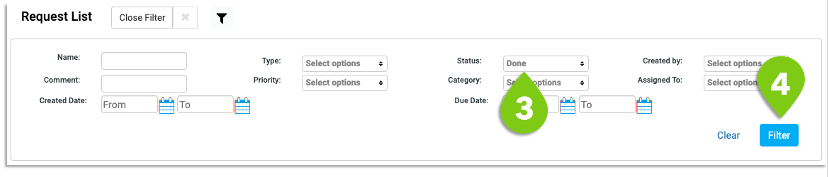
All requests meeting your filter parameters will display in the list.
If you have any further questions, please contact us with your inquiry.