
How to see All Requests
You can allow users in your group to see all Requests made in your SoftMouse.NET account by changing a User setting.
NOTE: You must be the administrator of your SoftMouse.NET account to change User settings
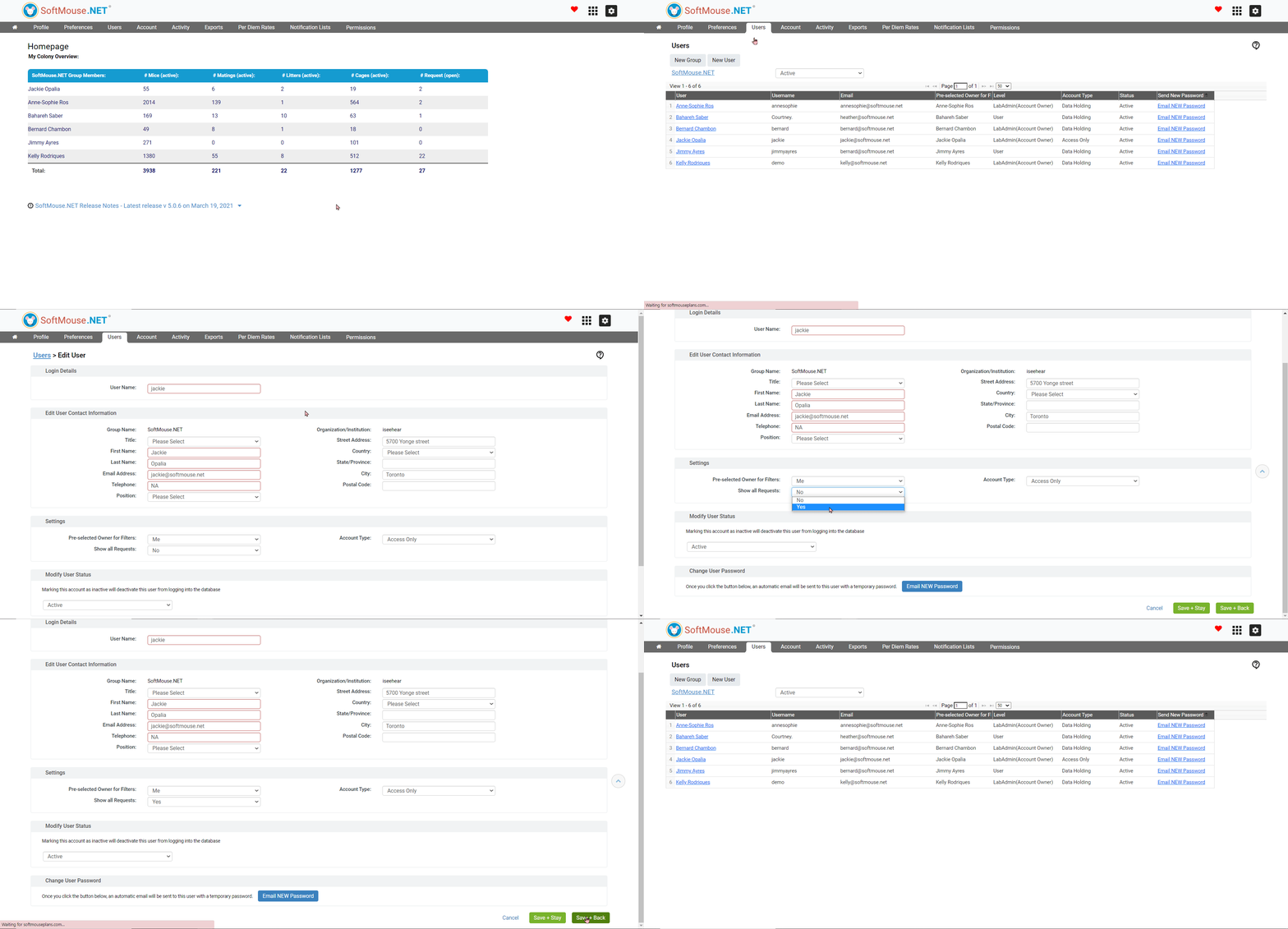
Here are the steps to see all requests:
- Click the Home icon button at the far left in the top menu
- Click the Users menu
- Select the User in the Users List who needs to see all Requests
- On the Edit User page, scroll down to Settings
- In the Show all Requests drop-down list, select Yes
- Click Save + Back
Done!
If you have any further questions, please contact us with your inquiry.