
How to Mark a Request as Done
Once a request has been completed, you can easily mark it as done.
NOTE: Individuals selected under “Who should be notified?” will be notified of that the request has been completed.
There are two options to mark a request as done:
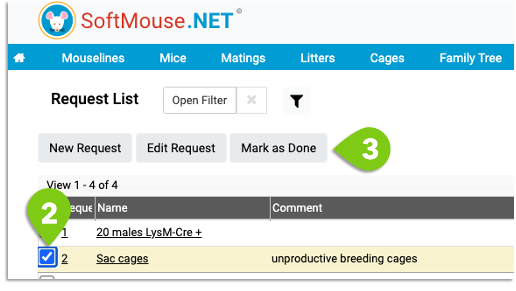
Option 1: from the Request List
- Go to the Request List
- Select the desired Request(s)
- Click Mark as Done
OR
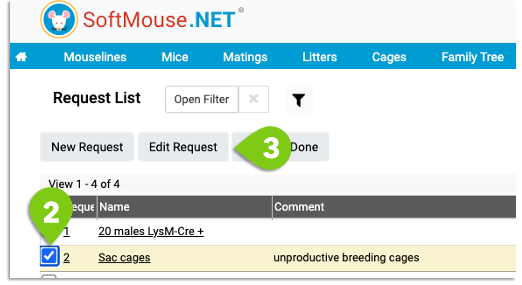
Option 2: from the Edit Request page
- Go to the Request List
- Select one Request
- Click Edit Request
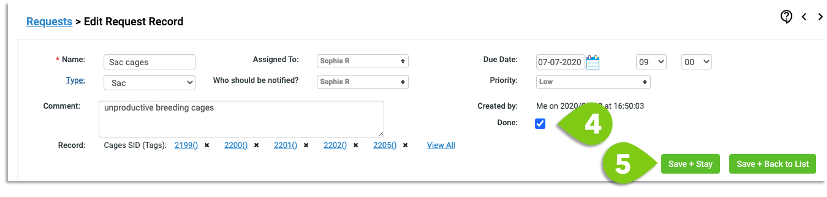
- Check the Done check box
- Click Save
If you have any further questions, please contact us with your inquiry.