
Notification Lists
Notification Lists allow you to create a preset group of users, so that on selecting who should be notified from the corresponding drop downs (mentioned below), you can send the same email to several individuals with the click of only one check box!
1-How to Create a Notification list
- From your SoftMouse.NET homepage click on the Notification List Grey Menu --- Only the Admin has access to the notification list menu
- Click on New List
- Name your list (lab Techs in this example)
- Select the users concerned
- Click on Add List
- The new list will appear below in the table
.gif)
2-Where you can use the notification list
Below are all the locations where you'll will be abble to use the Notification List feature in SOftMouse.NET:
- Requests Module
- Protocol Module
- End Mice Pages
- Wean Mice Pages
A. Requests Module
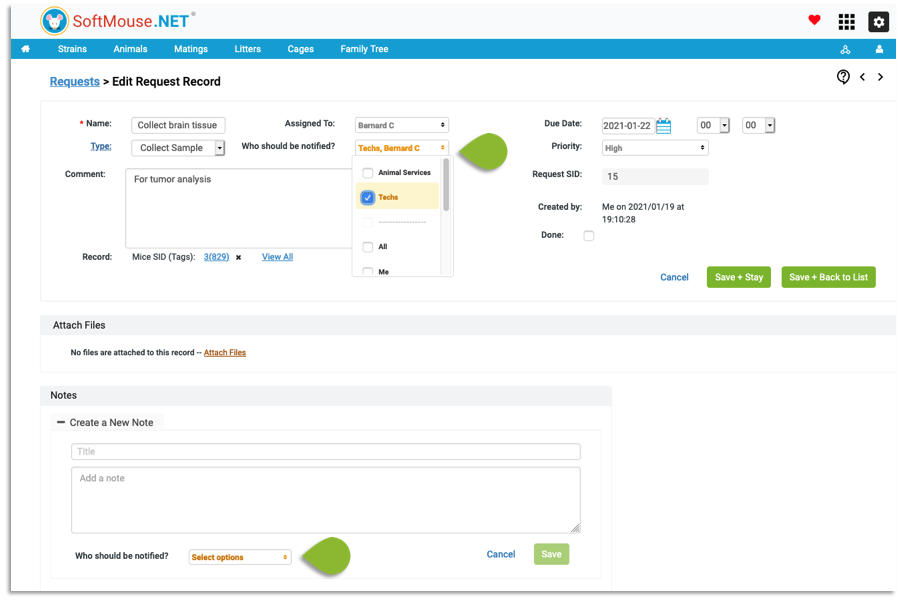
From the request Module you can choose who should be notified when you create or edit a request and when you create or edit a note in the Request Note Section.
NOTE: when you choose to notify a user about a Request, that Request will appear on the user Request page.
B. Protocol Module
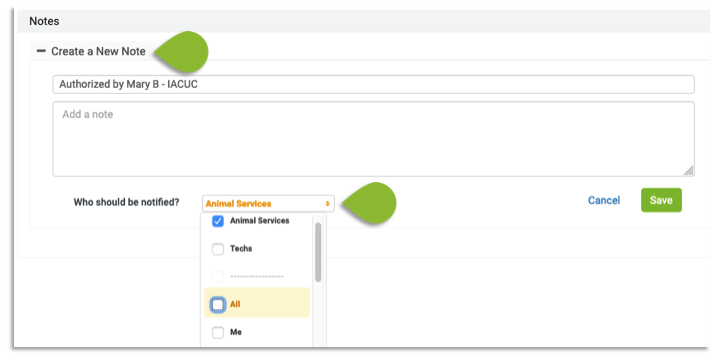
On the Protocol Record page Notification lists are available when you Create or Edit a note.
C. End Mice Pages:
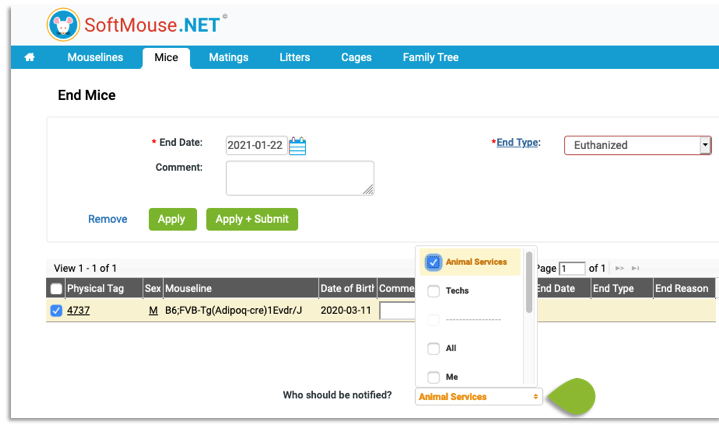
Ending Mice is possible from multiple pages, therefore you’ll be able to choose Who Should be Notify from all those ending Mice pages:
- End Mice page:
- Mouse List page
- Group Edit Mice page
- Cage List page
- Litter List page
- Edit Mating Record page
- Edit Litter Record page
- Edit Cage Record page
- Edit Experiment Record page
D. Wean Mice Pages
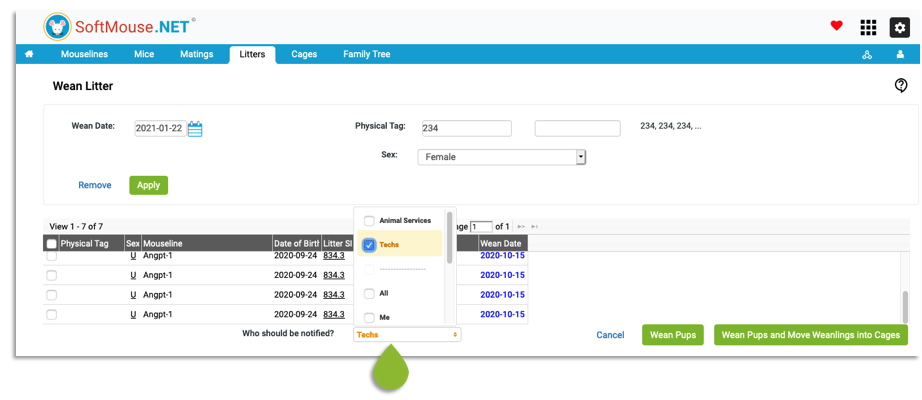
You can also choose Who Should be Notify when Weaning a litter from these pages:
- Wean Litter page
- Group Edit Mice page
- Litter List page
- Edit Litter Record page
- Edit Cage Record page, in this case you’ll have to select a cage with unweaned litter
If you have any further questions, please contact us with your inquiry.