
How to Search for Mice in a Specific Protocol
To pull a report on how many mice of a specific Mouseline have been used towards a certain Protocol, you can follow the below steps.
You can add as many filtering criteria as required.
Example: Search how many mice of Mouseline C57BL/6 have been used towards Protocol 7549 in February 2020, here are the steps that have to be followed:
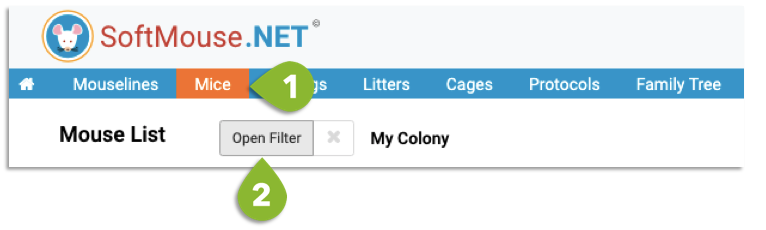
- Go to your Mouse List
- Click Open Filter
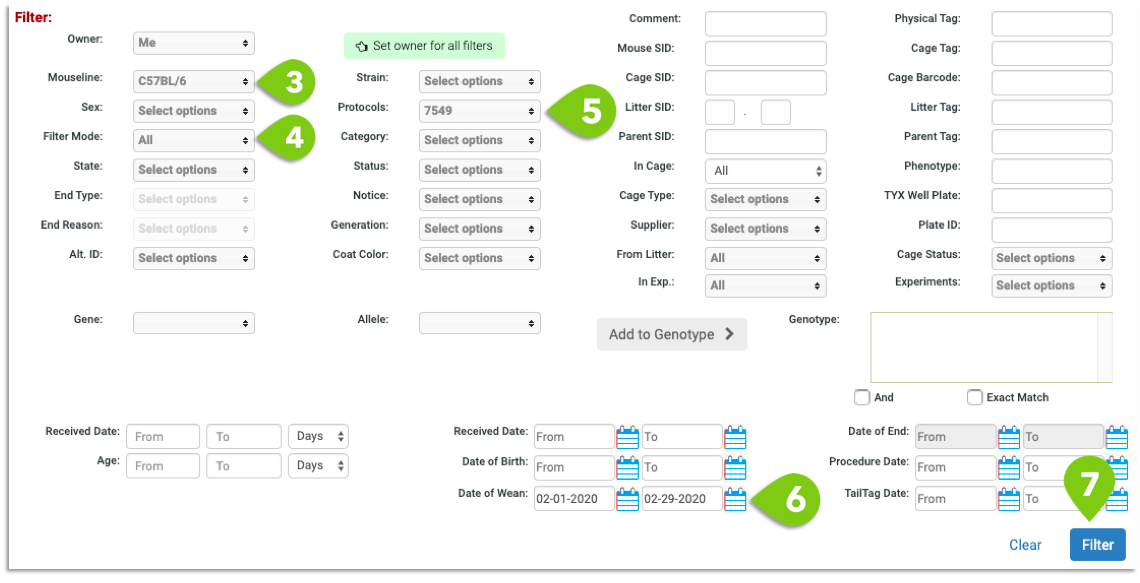
- Select the Mouseline C57BL/6
- Select All in Filter Mode
- Select Protocol 7549
- Select Date of Wean: Feb 1 2020 to Feb 29 2020
- Click on Filter
If you have any further questions, please contact us with your inquiry.