
How to Share Your Colony Data With Other Users
Users often find the need to share mouselines in order to collaborate on a project, but do not always want other users to edit their data. from the data sharing menu, users can set who can view only or edit their data as needed.
Note: data sharing must be enabled by the account administrator
You can share your data by following these steps:
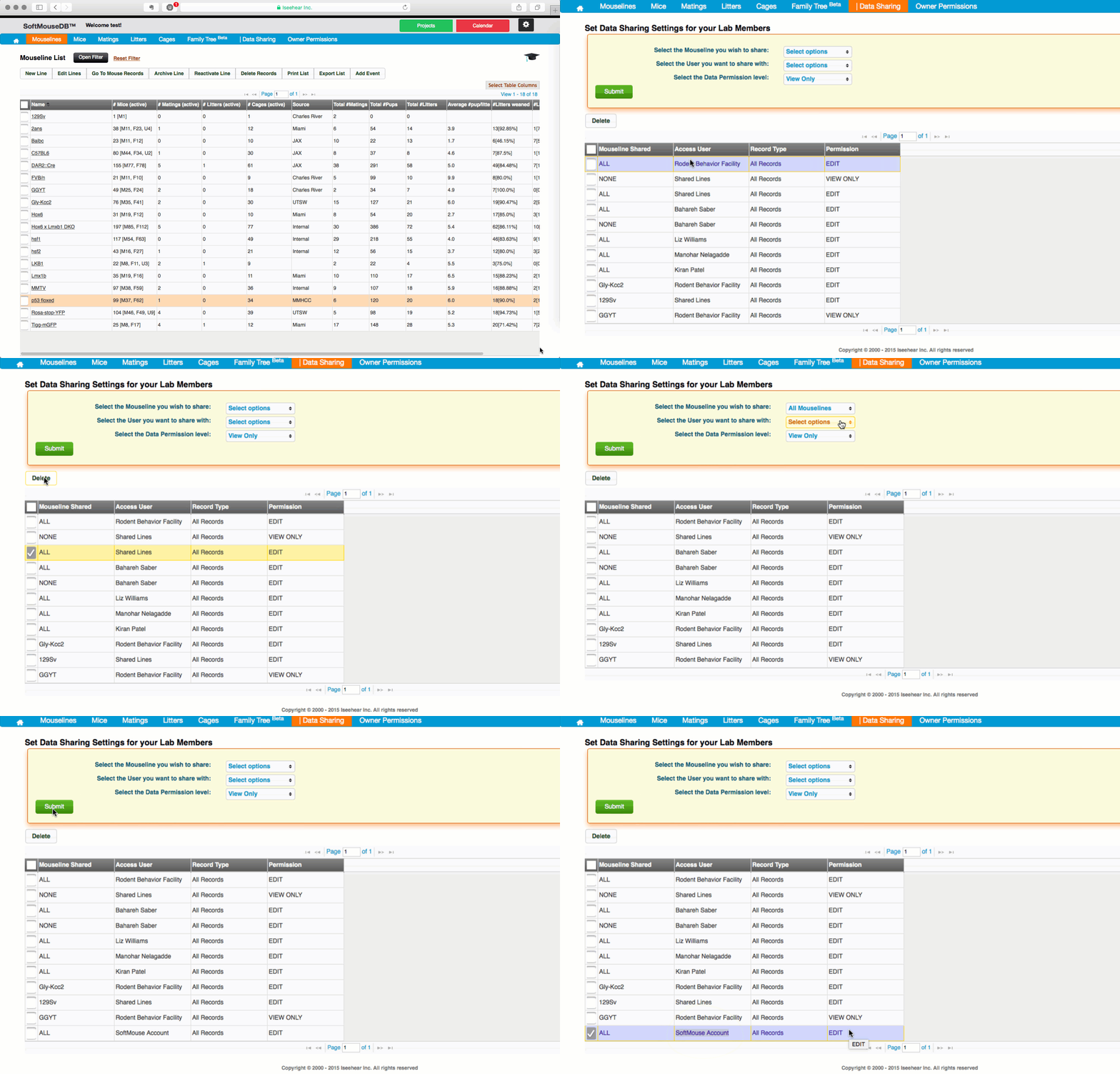
- Click on the Data Sharing menu --- you will notice in the table below that all users will have rows for viewing all of your Mouselines
- If you want to remove the default permission for any of the users, simply select the row and click Delete
- To add more detailed permissions, simply open the drop down options and make a new selection
- Click Submit when done and you will see the table below updated with the new permission
If you have any further questions, please contact us with your inquiry.