
Add a Litter to a Deactivated Mating
In the event that you disbanded a mating, or retired one female in an active mating, only to find out a few weeks later that the female was pregnant, here are the steps you can follow to add the litter into the disbanded mating:
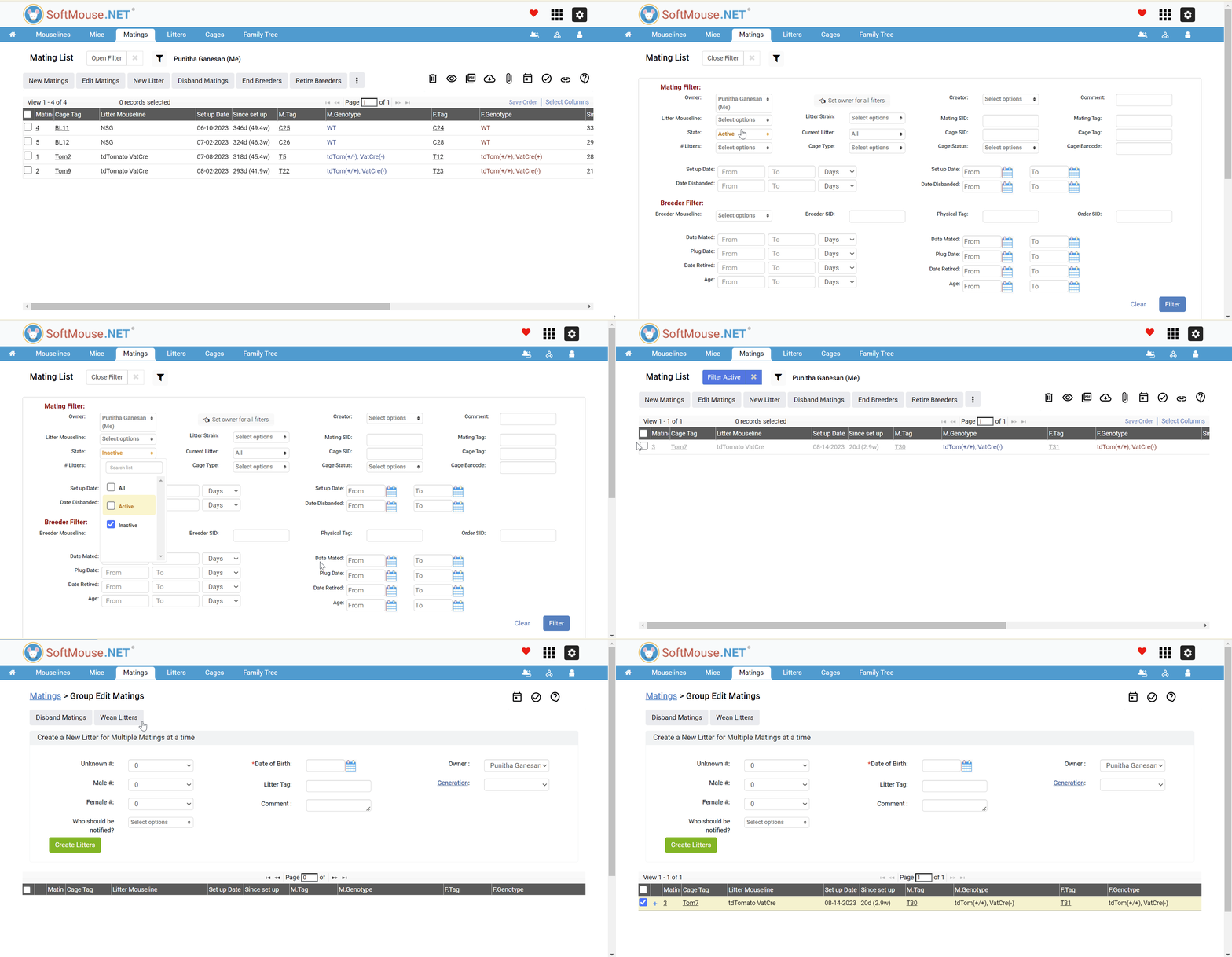
- Open the filter on the Mating List
- If the whole mating was deactivated, then in the State drop-down, select the Inactive checkbox (and deselect Active).
- Click Filter
- Locate the Mating that contains the female that gave birth and select the checkbox
- Click the New Litter button to add the litter as usual
If you have any further questions, please contact us with your inquiry.