
How To Foster A Litter
To track litter fostering in SoftMouse.NET, you can follow these steps once the litter has already been created under the original parents'Mating record:
On the Litter List:
- Select the litter that will be fostered and
- Click on the "Edit Litters" button
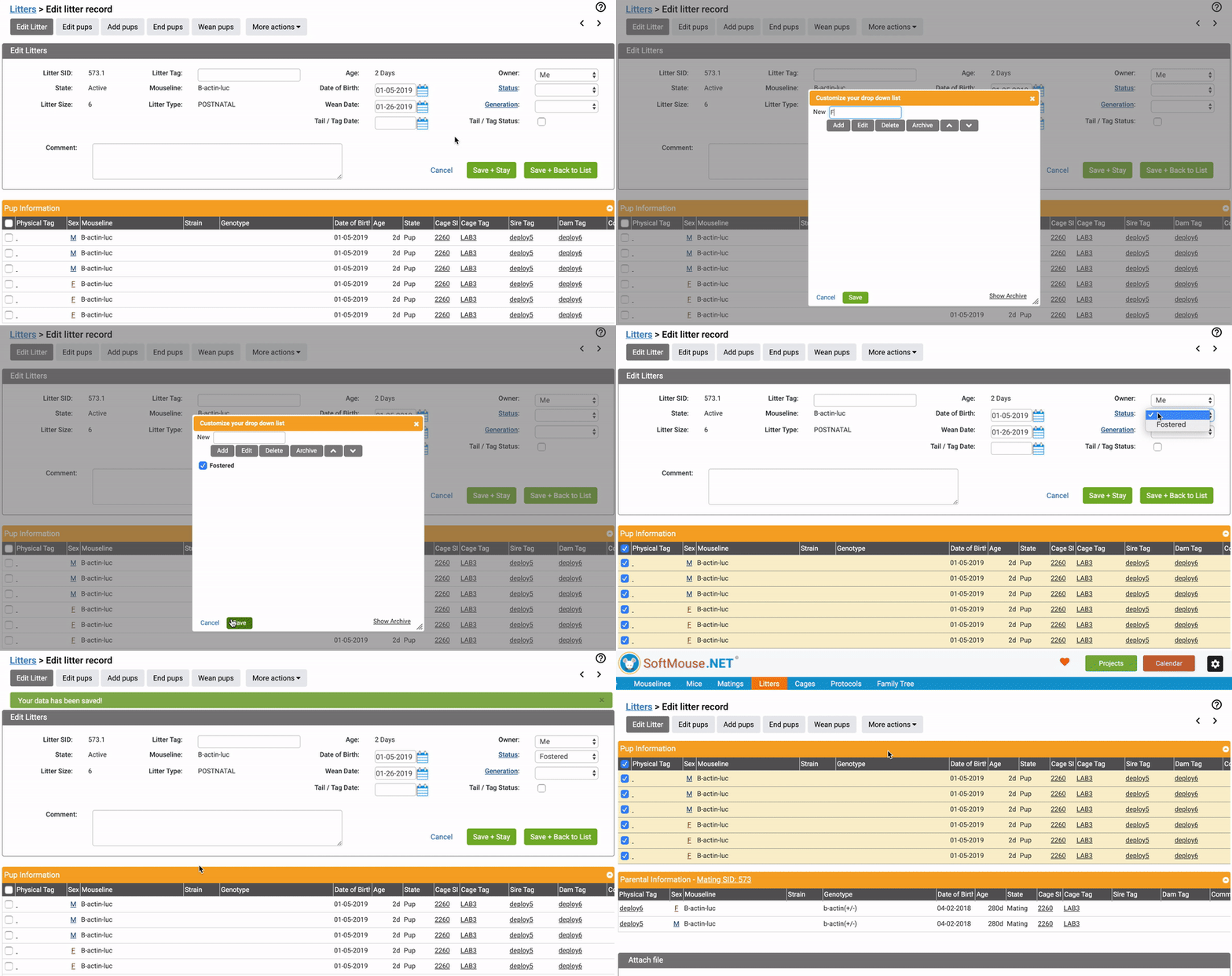
On the Edit Litter page:
- Click on the "Status" Link in the Edit Litter table and add "Fostered" as an item in the "Status" drop-down list
- Select fostered from the "Status" dropdown
- Click on the green "Save + Stay" button to save your changes and remain on the page
- Select all checkboxes in the Pup Information table again, click on the "More actions" button, and select "Move Pups"
On the Move Mouse page:
- Select all checkboxes
- Click orange Group button
- In the Cage Tag or Cage Barcode field, start typing in the cage number or the Cage SID you want the mice to be moved into
- Once you start typing, a drop-down list appears with all existing cages that match what you typed so far (The first number is the Cage Tag. The second is in parentheses is the SID - Sequential I.D.) - click on the desired cage number in the drop-down list
- After you click the correct Cage Tag / SID, you will see the Cage SID listed above the Cage Tag field similar to the image below. --- This SID may not mean anything specific to you, other than a confirmation that you are moving the mice into an existing cage.
- Click Create/Update Cages
Back on the Litter List:
- Click the blue "Customize Table Columns" link at the top right of the table
- In the Column Chooser pop up, select the Litter "Status" checkbox
- Click the green "Save" button
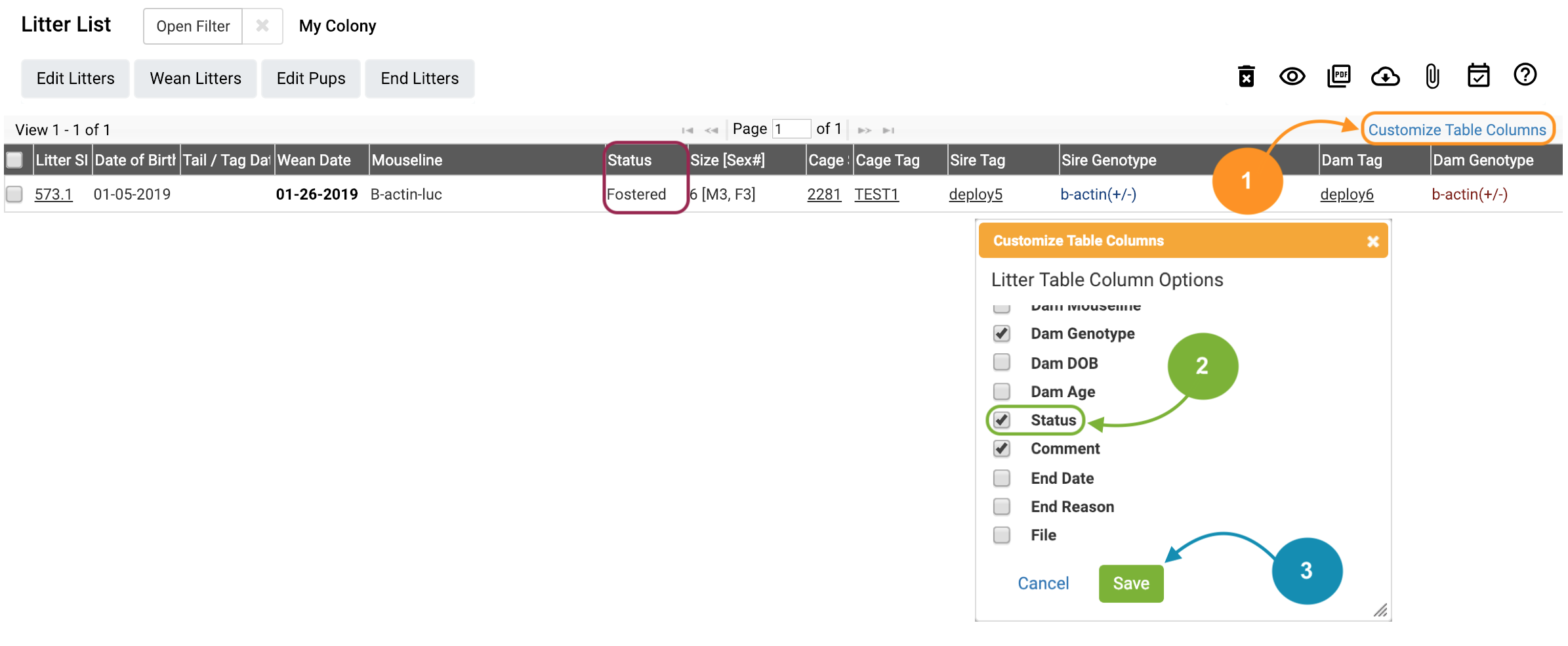
You can now identify by the litter status which litters are currently being fostered, along with the Cage Tag of their Foster mother. On your Cage List, in the Pup columns, you can also see the pups displayed in the foster mom's cage.
If you have any further questions, please contact us with your inquiry.