
How to Reactivate My SoftMouse FREE Account Access
To reactivate your SoftMouse.NET FREE account access, please follow these steps:
1. Go to www.SoftMouse.NET
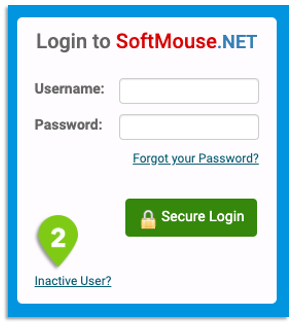
2. Under the login box on the right side, click the Inactive User hyperlink
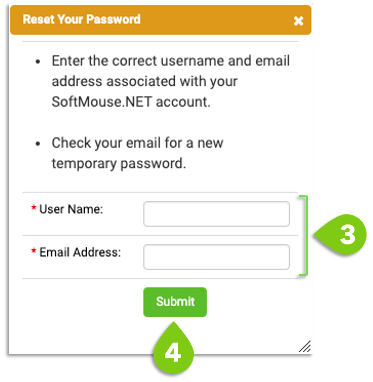
3. This will open a window where you can input your username and email address
4. Click on Submit, we will find a match in our database
If the match is succesful, your account will be activated and you will be prompted to login.
If the match is not successful, you will receive a notification. Please email us at [email protected] and we will take a deeper look to get your SoftMouse.NET account up and running soon!
If you have any further questions, please contact us with your inquiry.