
How To Set Up an Access Only User
In a centralized setup, where users will access the same dataset that is owned by another user, there are two recommended settings to include when setting up each user:
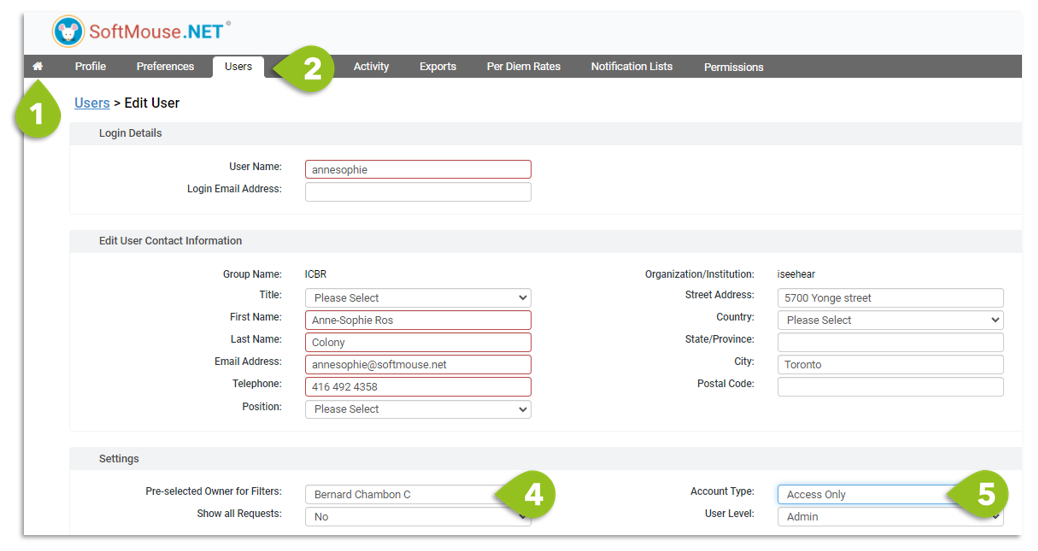
- Click the Home Menu to go to the Admin section of your account
- Click the Users menu
- Click on one of the user's names to get to the Edit User page
- Under the Settings menu, in Pre-selected Owners for Filters, select the user's name who will own all the data --- this will ensure that when the user whose edit page you are on logs in, they will default to see and contribute to the central database of records
- In the Account Type, select Access Only --- this will ensure that this user does not show on the Home Page, since they won't hold any data of their own.
- Click on Save + Back
If you have any further questions, please contact us with your inquiry.