
How to Allow Users to Create Protocols
As a Protocol Administrator, you can grant access to other non-admins in the account to be able to create Protocols.
Here's how:
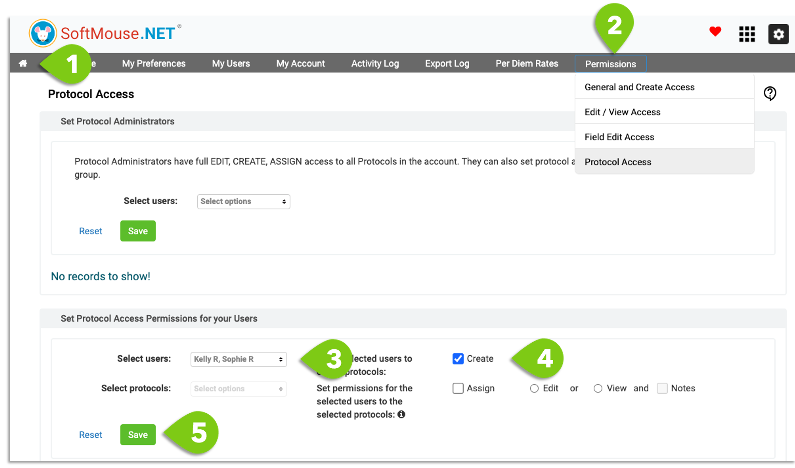
- Click the Home icon to go to the admin section of SoftMouse.NET
- Click Permissions menu, then Protocol Access submenu
- In the Set Protocol Access Permissions for your Users section, select user(s)
- Select the Create checkbox
- Click Save
Done! You'll now see a checkmark in the Create column for that user(s) in the table
NOTE: To remove a Protocol permission from a user(s), you can click the garbage can icon on their row in the table.

If you have any further questions, please contact us with your inquiry.