
How to Add a Mouse to a Mating Record
In an existing mating record, if a breeder dies or needs to be replaced, follow these steps:
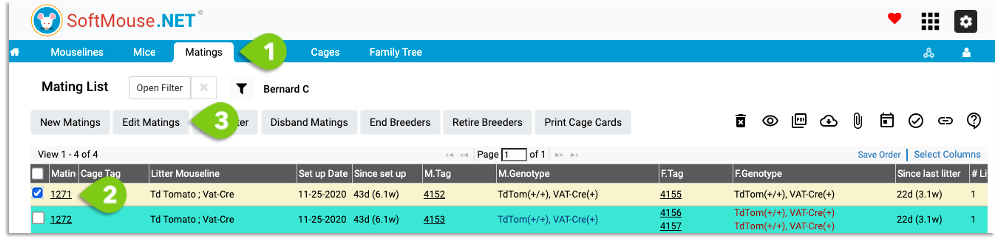
- Go to the Mating List
- Select the Mating to which you want to add the Mouse
- Click on Edit Mating
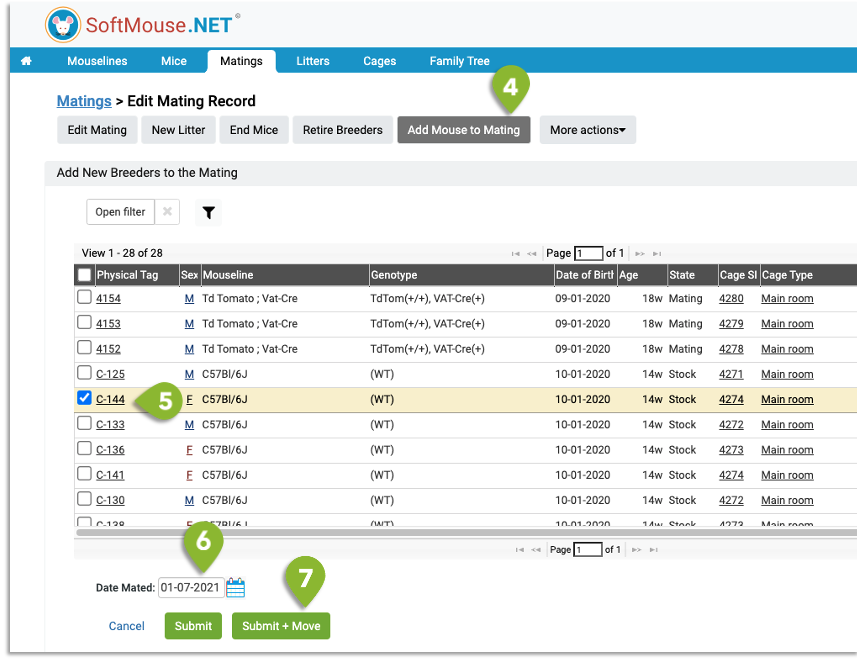
- On the Edit Mating page, click the Add Mouse to Mating button
- Select the checkbox of the mouse to add
- Confirm the Date Mated
- Click Submit+Move
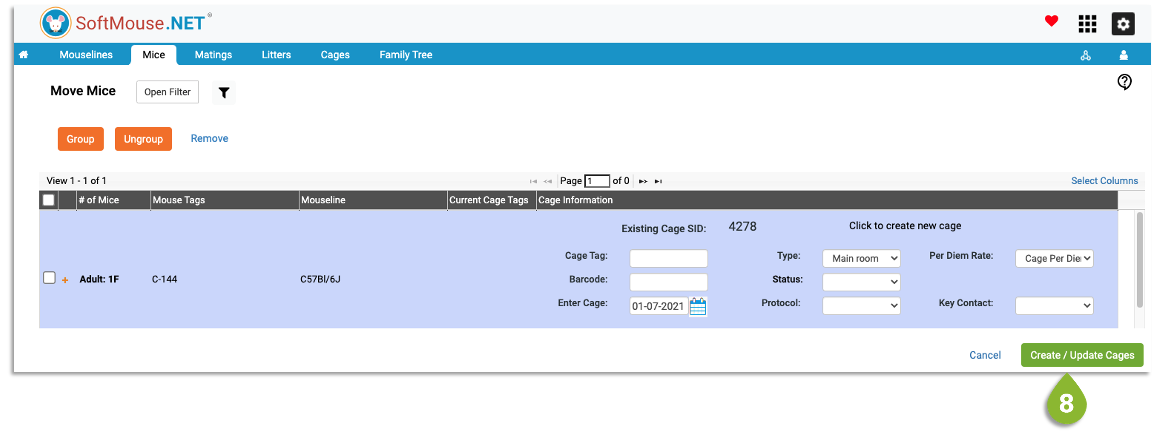
- On the Move Mice page, you'll see the Cage Information will be pre-populated with the cage data of the existing mating mice, so you don't need to do anything here except click Create / Update Cages
NOTE: You can add a male only if there is no exisitng male or only if the existing male is retired or inactive
If you have any further questions, please contact us with your inquiry.