
How to Retire a Breeder
If one of the mice in your Mating record needs to be returned to Stock - e.g. if it is not a good breeder, if you are simply separating male and pregnant female - you can use the Retire Breeder function to remove the corresponding breeder from the mating record.
Here's what to do:
- Go to the Mating List
- Select the check box of the Mating containing the breeder in question
- Click Edit Matings
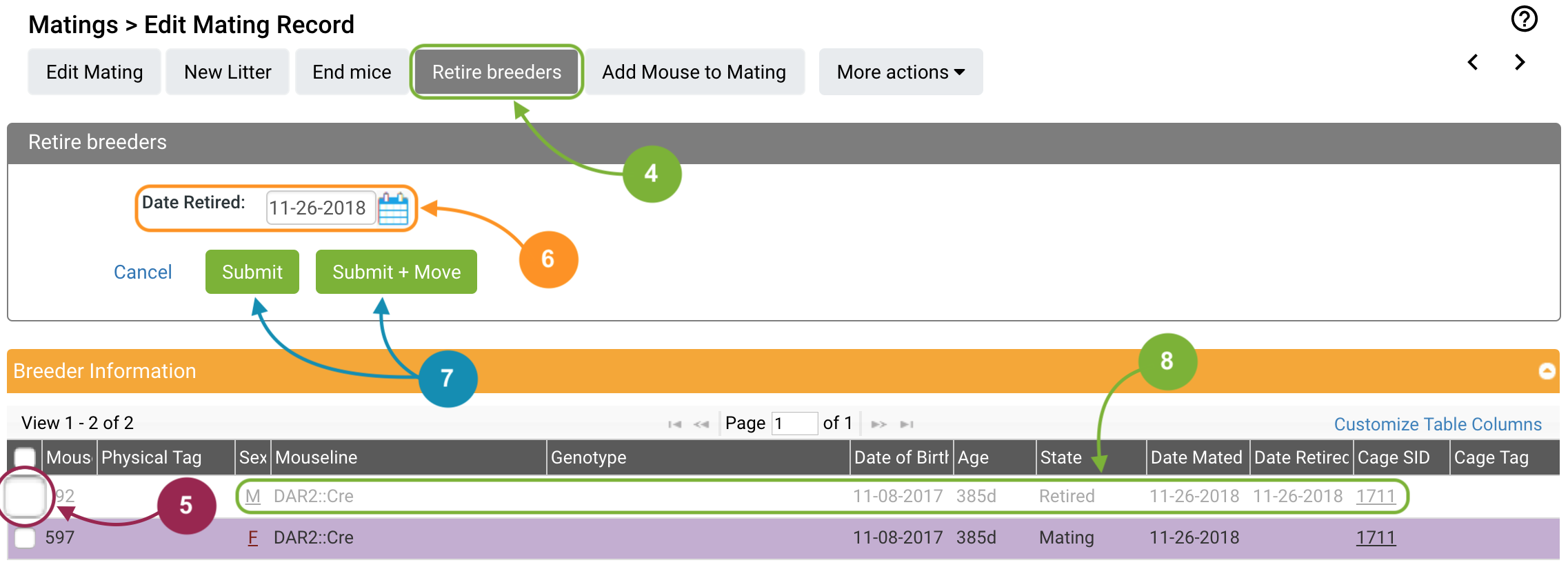
- Click on the "Retire Breeders" button directly under the Matings > Edit Mating Record Header
- Select the check box for the breeder to be retired from the Breeder Information table
- Confirm or edit the date that the breeder was removed from the cage
- Click Submit or Sumbit+Move to retire the breeder and move it into a new cage
- Once retired, the font color of the text in the retired breeder's row will turn grey with the retired date showing in the Date Retired column.
TIPS
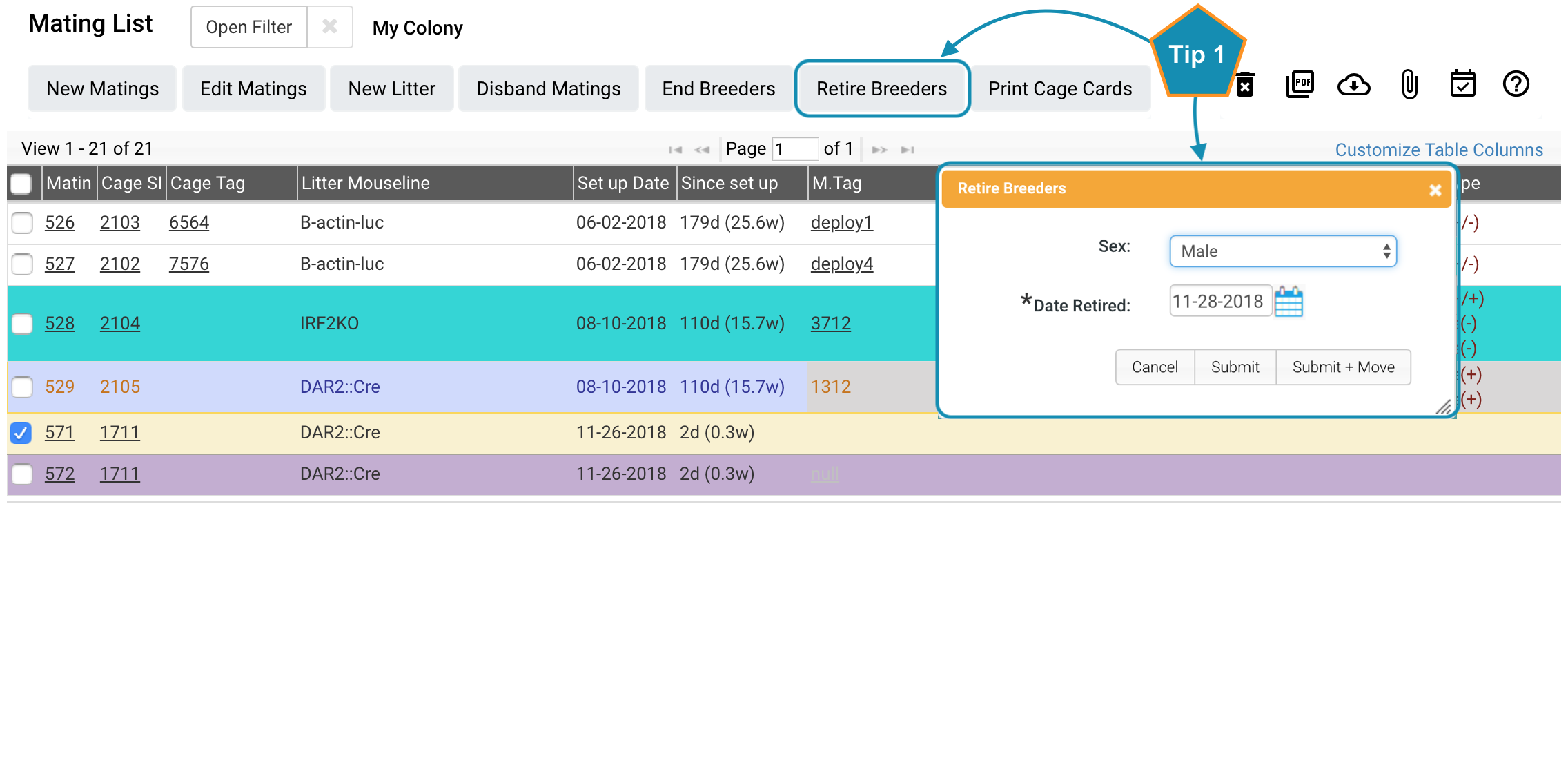
- Tip 1: Alternatively, you can now retire the breeder directly from the mating list by selcting the breeder and clicking on the retire breeders button and following the prompts on the pop-up screen
If you have any further questions, please contact us with your inquiry.