
How to Filter for Inactive Cage Records
Follow these steps to find Inactive Cage Records:
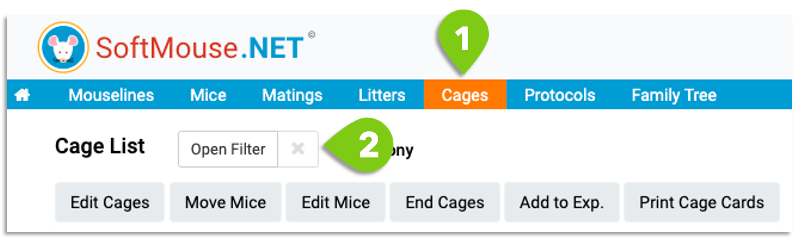
- Go to your Cage List
- Click Open Filter
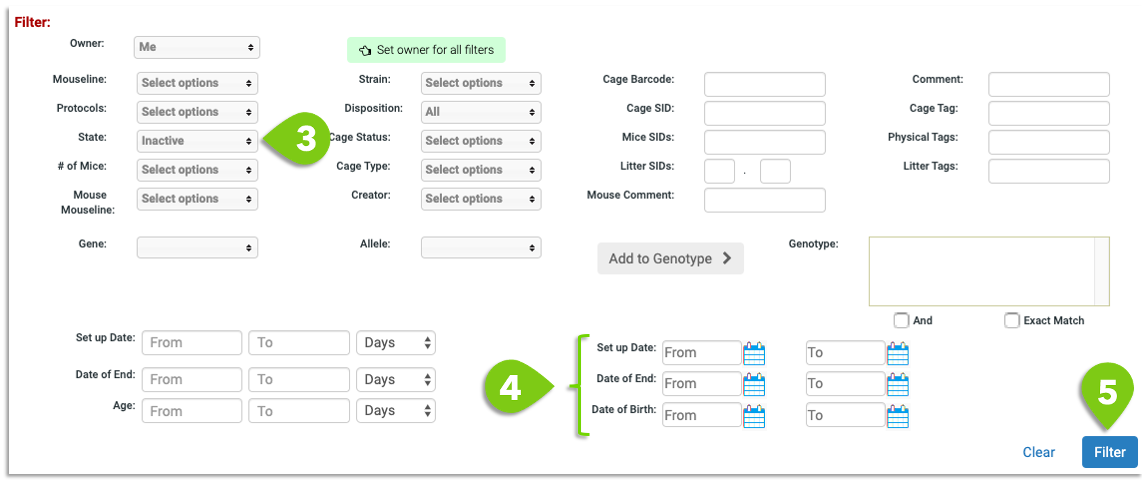
- Under the State drop down, select Inactive
- Narrow your search further and filter by any of the date ranges (e.g. Set Up Date, End Date, etc.)
- Click Filter
Now all inactive Cage records that meet your filter criteria will display in the list!
Select a Cage and click Edit Cages to see a full history of all resident mice that once past through this cage.
If you have any further questions, please contact us with your inquiry.