
How to Find Embryonic Litters
To locate your embryonic litters, you can filter your Litter List as follows:
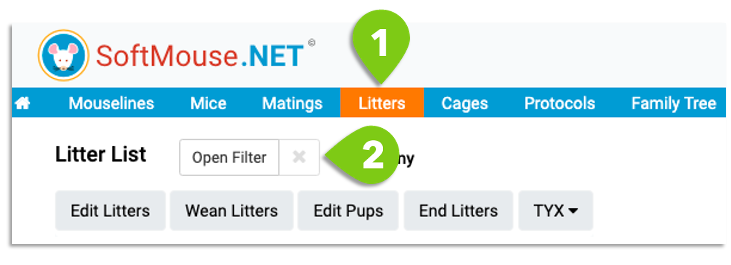
- Go to the Litter List
- Open the Filter
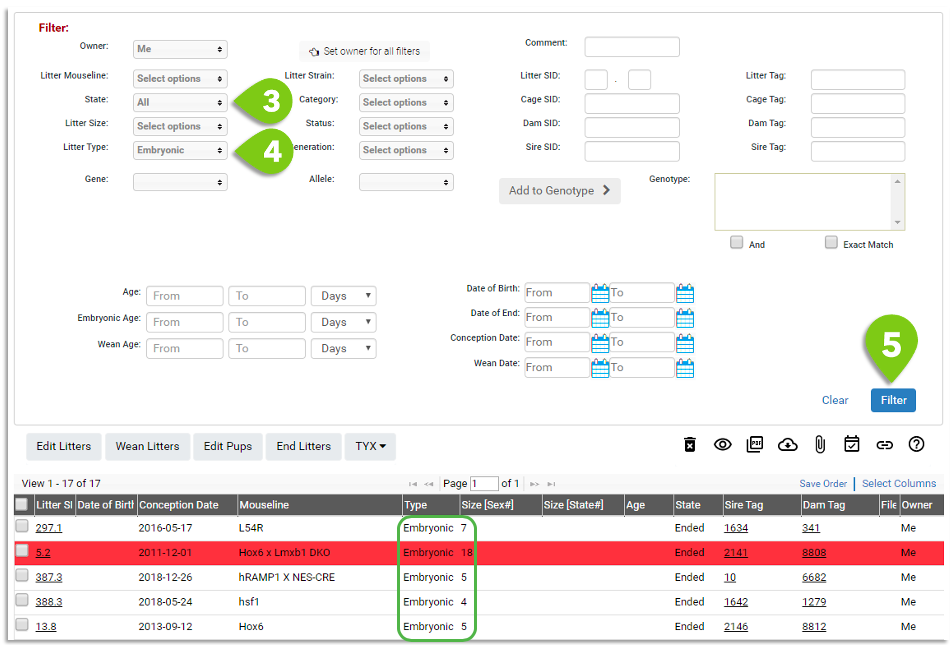
- In the State drop down, select "All" --- because embryonic litters are no longer alive they are automatically inputted as ended litters
- In the Type drop down, select "Embryonic" --- feel free to also select other Filter parameters (e.g. Mouseline) to narrow down your search
- Click Filter
Tip: You can click the "Select Table Columns" grey button at the top right of the page to show the "Conception Date" as a column option.
If you have any further questions, please contact us with your inquiry.