
Quick Filter
The Quick Filter allows you to filter for multiple parameters (“categories”) without opening the main filter.
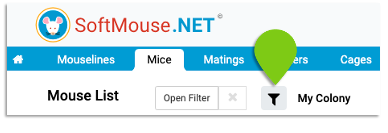
Click on the Quick Filter icon to open a box with a text field and the category list.
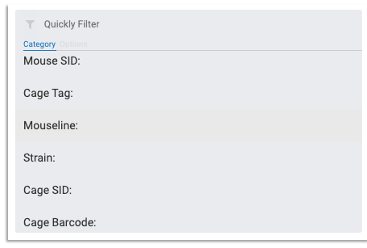
- Use your mouse or the ⬆ and ⬇ arrow keys on your keyboard to navigate through the list.
- You can also type in the category name in the text field to narrow down the list and display the matching categories.
- To select, click on the value or press Enter. The box will refresh to display the values of this category.
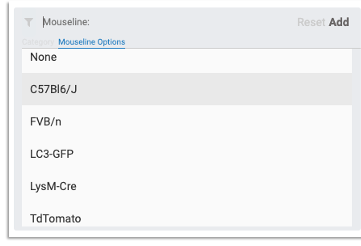
- Use your mouse or the ⬆ and ⬇ arrow keys on your keyboard to navigate through the selected category list
- You can also type in a value in the text field to narrow down the list and display the matching values.
- To select, click on the value or press Enter. All the selected values will display on the top
- Click ‘Add’ to apply the filter or ‘Reset’ to reset the filter
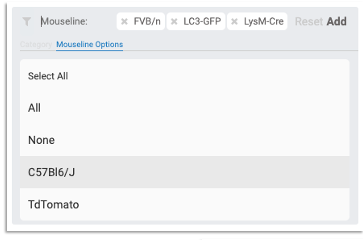
- To further filter the list, select another category and repeat the process --- The active filters will display at the bottom of the box
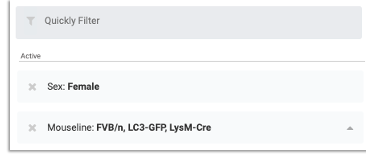
NOTE: Selected categories and values will show up on the main filter as well. The ‘Open/Close Filter’ button will turn blue to show that a filter is applied to the list.
If you have any further questions, please contact us with your inquiry.