
How to Save Filters
You can follow these steps to quickly access your prefered filters in SoftMouse.NET:
- Go to any list of your account (Mouseline, Mice, Matings, Litters, Cages)
- Open the filter and set your preferences
- Click Filter
- Click on the link icon at the top right of the page

- Open a new tab
- Paste the copied link in the url bar and hit Enter
- Save this page as a bookmark in your browser
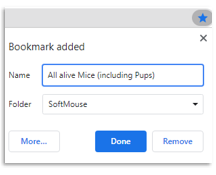
Going forward, you can access SoftMouse.NET with this bookmark and automatically load your prefered lists.
If you have any further questions, please contact us with your inquiry.