
Export your Data
You can export your data into a spreadsheet at any time in SoftMouse.NET.
Here are the steps:
- Navigate to any list (e.g. Mice, Matings, Litters, Cages)
- Filter for the records you want to export (e.g. Filter Mode All under Mice, or State All for the other lists)
- At the top right of each list, Select all the Columns you want to export --- This step is optional
- Select the records of your choice --- If you do select checkboxes, then only the selected records will be in the export, if you dont select any checkboxes, all records across all pages will be exported.
- Click on the cloud arrow
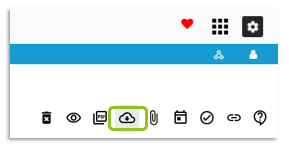
A new tab will open and will either prompt you to save your exported file when it is ready or save directly to your downloads folder, depending on your browser settings. You can also find it in the Exports menu, in the gray bar of the SoftMouse.NET homepage.
If you have any further questions, please contact us with your inquiry.