
Find Total Pup Count per Mouseline
If you want to find the total number of active pups (versus active litters) broken down by Mouseline, you can follow these steps:
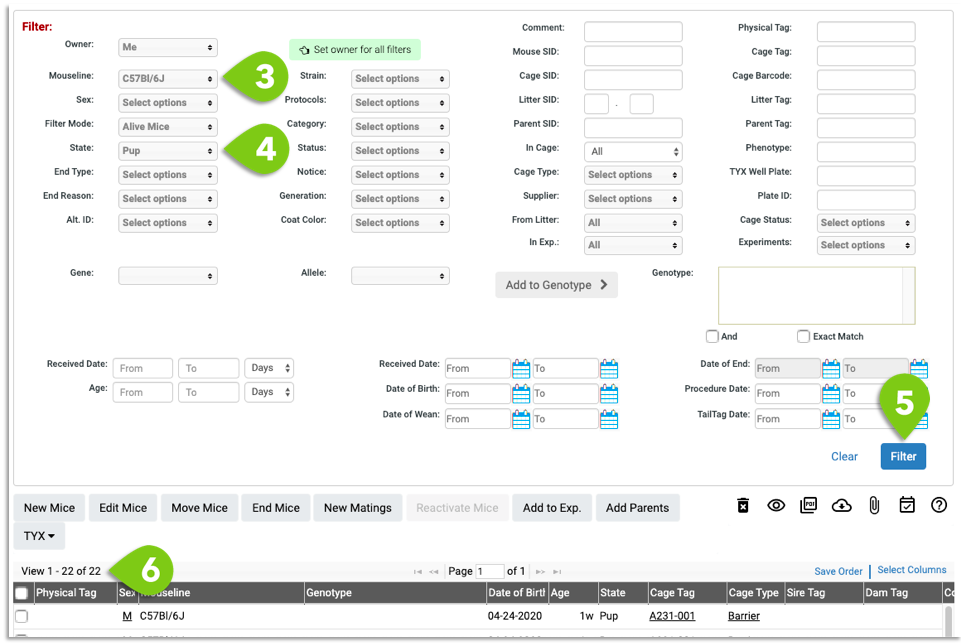
- Go to the Mouse List
- Open the Filter
- Select the Mouseline of interest
- In the State drop down, unselect Mating, Stock and Weanling. Select Pup
- Click Filter
- Look at the top left of your Mouse List to see the the total count
- Repeat steps 3-6 for the next Mouseline of interest

If you have any further questions, please contact us with your inquiry.